Restaurant reports and analytics, from the total down to the bill.
See which dishes make money, not only which sell. Bhookly reports sales, cost, margin, tax and profit for any period, lets you click from a total to the receipts behind it, and hands your accountant one workbook at month end.
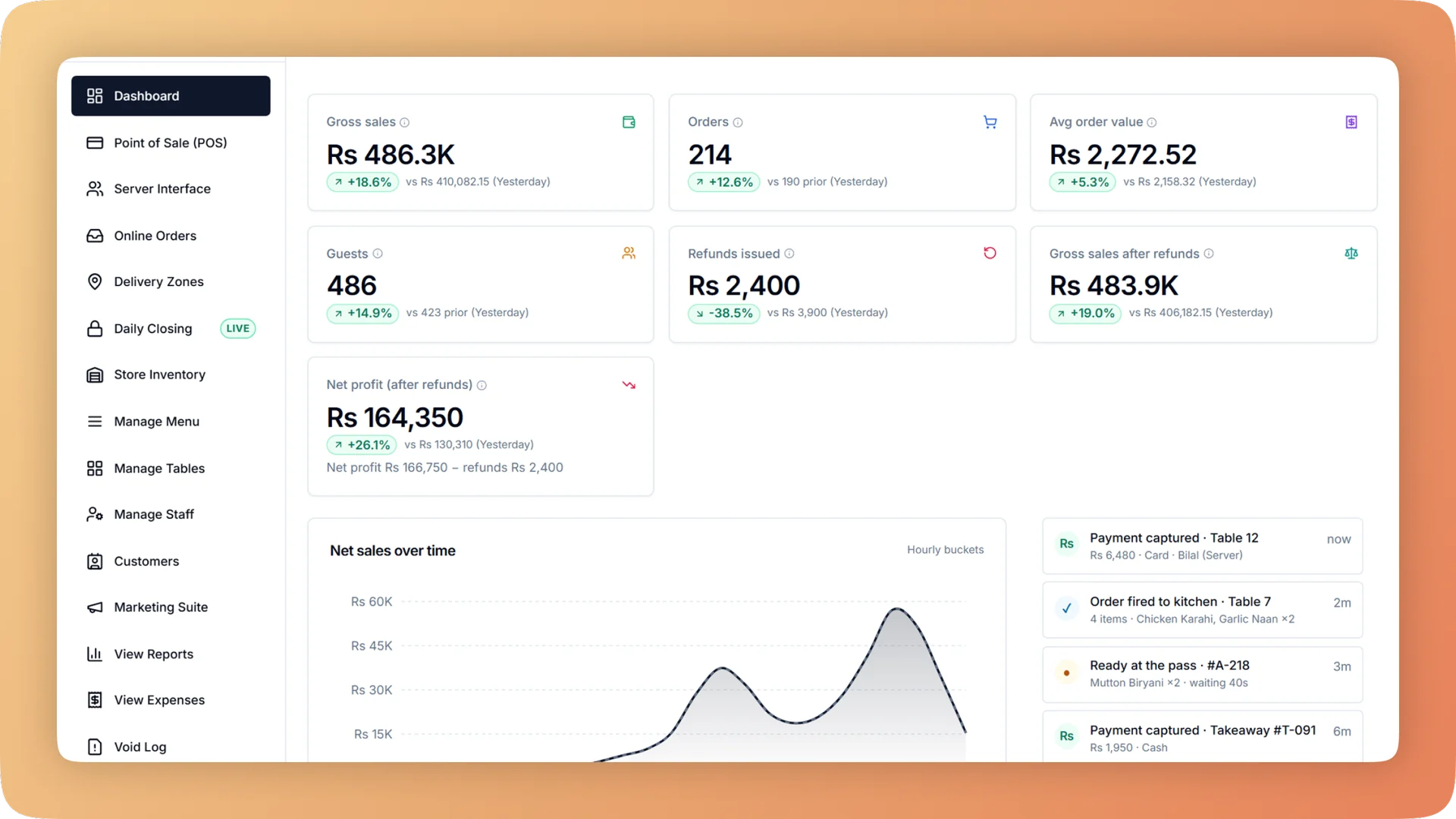
Reports & Analytics on a live shift.
Sales, margin, tax, refunds and profit and loss for any period and every branch. Click a total to see the bills behind it, then export it all for your accountant.
- Sales, tax, discounts, refunds, cost, margin and profit, with a click from any total to its bills
- A busy-times heatmap by weekday and hour, with the busiest slot named
- Menu performance and margin by item, category or your own tags, filtered by channel
- A profit and loss statement by hour, day, week or month, compared with the previous period
- One month-end Excel workbook with every report and a sheet defining every line
What you get with Reports & Analytics.
- From a total to the receipts in one click
- The overview shows sales, tax, discounts, refunds, cost, margin and profit. Click a payment type and you are looking at exactly those bills. Open any day to find, reprint or refund a single bill.
- Which dishes make money
- Menu performance ranks items by sales and projected margin, by item, by category or by tags you set yourself, such as Summer Special. Filter by dine-in, takeaway, delivery or any custom order type.
- Rota decisions from real data
- The busy-times heatmap lays sales out by weekday and hour and names the busiest slot. Staffing and opening hours are set from what happened, not from memory.
- Monthly profit without waiting for the accountant
- The profit and loss statement runs from gross sales down to net profit by hour, day, week or month, each compared with the previous period. Owners and accountants see it. Managers do not.
- Month end in one file
- The month-end pack is one Excel workbook holding every report, with a full order audit export alongside. Every export includes a Basis sheet that defines each line, so nobody has to ask how a number was calculated.
- Every branch, side by side
- Compare locations against each other, or roll them into one consolidated set of reports.
Everything Reports & Analytics does.
Used by owners, managers and accountants.
Sales and orders
What was sold, when, where and how it was paid.
- Overview with drill-down
- Sales, tax, discounts, refunds, cost, margin and profit for any period. Click a payment type to list exactly the bills that make up its total.
- Daily sales and orders browser
- One row per trading day. Open a day to find a bill, reprint it or refund it, which settles a customer dispute in seconds.
- Busy-times heatmap
- Sales by weekday and hour in one grid, with the busiest slot named. Use it to set the rota and decide opening hours.
- Tables and parties
- Busiest tables, sales per guest and party sizes. It shows whether you need more tables for two or fewer tables for eight.
- Custom order types as report lines
- Dine-in, takeaway, delivery and any type you add, such as a delivery app or catering, each get their own line. Sales by channel appear in every report.
- Branch comparison and consolidated reports
- View each location alone, compare branches side by side, or combine all of them into one report.
Menu, margin and profit
Sales say what is popular. These reports say what is profitable and what is being lost.
- Menu performance and margins
- Sales and projected margin for every item and category, filtered by channel. A best-seller with a thin margin stands out next to a quiet dish that earns well.
- Tags for reporting
- Label dishes with your own tags, such as Summer Special, and report on the group. Judge a promotion without restructuring the menu.
- Profit and loss statement
- Gross sales down to net profit by hour, day, week or month, compared with the previous period. It is visible to owners and accountants only.
- Stock reports
- What stock is worth, what was used, and what is being lost, split into waste, missing at count and dishes thrown away. A needs-attention list and Excel export are included.
- Kitchen flow reports: usage and yield
- What the kitchen used against what recipes say it should have used, and cooking yield by cook. Overuse is found by item and by person.
- Kitchen flow reports: store and suppliers
- Whether the kitchen received what it asked the store for, stock lost in transit by person, slow and expiring stock, and each supplier's price changes and punctuality.
Tax, refunds and bank claims
The figures that have to agree with someone outside the restaurant.
- Tax report
- Tax by rate, with the amount charged set against the amount filed. The figures for the monthly return are ready, including FBR and PRA filings in Pakistan.
- Refund log
- Refunds listed per day, each with a printable refund receipt. Every refund can be traced to its original bill.
- Bank promo claims
- For card discounts funded by a bank, one claim sheet per bank shows what that bank owes you. You neither under-claim nor over-claim.
- Emailed Z report
- About 30 minutes after each close, chosen people receive a summary and the Z report as a PDF. If the day is corrected, the corrected email replaces the earlier one.
Staff and marketing results
Reports that judge people and promotions on the money they bring in.
- Staff performance report
- For each waiter: orders, guests, sales, average bill, discounts given and cancelled orders. Outliers in discounts and cancellations are visible in one table.
- Service-charge share per waiter
- The same report shows each waiter's share of the service charge, so payouts are worked out from the bills and are fair.
- Campaign results
- Sent, opened, clicked and redeemed for every campaign, with the revenue that followed.
- Revenue per promo code
- Each code reports its redemptions and the sales they brought in. Marketing is judged on revenue, not on messages sent.
Exports and accountant access
Built so the month-end handover is one file and no phone calls.
- Month-end pack
- One Excel workbook containing every report for the month.
- Full order audit export
- Every order for the period in one export, for an accountant or auditor who wants to test the totals line by line.
- Exports with a Basis sheet
- Each Excel export includes a sheet named Basis that defines every line and how it was calculated.
- Accountant login
- A read-only login for reports, expenses and profit. Your accountant gets the figures directly and cannot change anything.
“Setup took less than a morning. By dinner service we were fully live. I've onboarded three POS systems over the years — this is by far the fastest I've ever seen a team get comfortable.”
Things people usually ask us.
Still have a question? Message us and we reply the same day.
What reports does Bhookly give a restaurant?
Bhookly gives a restaurant a sales overview with drill-down, a daily sales and orders browser, a busy-times heatmap, menu performance and margins, tables and parties, a tax report, a refund log, bank promo claims, a profit and loss statement, stock reports, kitchen flow reports, a staff performance report and campaign results. All of it exports to Excel.
Can I see which menu items are most profitable, not only which sell the most?
Yes. Bhookly's menu performance report shows sales and projected margin for every item, category or tag, and can be filtered by channel. It separates dishes that sell well from dishes that earn well.
Can I find out my restaurant's busiest hours?
Yes. Bhookly's busy-times heatmap shows sales by weekday and hour and names the busiest slot, so you can plan the rota and opening hours from real sales.
Can I compare branches?
Yes. Bhookly lets you view each branch on its own, compare locations and see consolidated reports across all of them.
Can my accountant get the reports without access to the till?
Yes. Bhookly has a read-only accountant login that opens reports, expenses and profit and nothing else. At month end the accountant can download one Excel workbook with every report, plus a full order audit export.
Does Bhookly produce a profit and loss statement?
Yes. Bhookly's profit and loss statement runs from gross sales down to net profit by hour, day, week or month, compared with the previous period. Owners and accountants can see it, and managers cannot.
Can I export restaurant reports to Excel?
Yes. Bhookly exports reports to Excel, and every export includes a Basis sheet that defines each line. The month-end pack puts every report into a single workbook.
Is there a tax report for my monthly return?
Yes. Bhookly's tax report shows tax by rate and compares what was charged with what was filed, so the figures for the return are ready. In Pakistan that covers sales filed with FBR and PRA.
Works with the rest of Bhookly
Let's get your restaurant running on Bhookly.
چلیں، شروع کریں
Book a 20-minute demo. We'll show you Bhookly running on your kind of restaurant, with no pressure and no obligation.
- No lock-in contracts
- Live in a morning
- Same-day WhatsApp support