QR code ordering for restaurants, straight to the kitchen.
Every table gets its own QR code. Guests scan, order and pay from the table, staff accept the order on the till, and the kitchen gets a ticket that already knows where the food is going.
QR Table Ordering on a live shift.
QR code ordering for restaurants: guests scan the code on their table, order with no sign-up, and the ticket reaches the kitchen with the table number on it.
- A QR code for each table: scan and order with no sign-up and no app to download
- Every ticket carries the table number, on the kitchen display or on paper
- Orders arrive on the till with a repeating chime; Accept sends them to the kitchen
- Print branded codes or A5 table tents for every table in one job
- Guests can order and pay from the table
What you get with QR Table Ordering.
- Fewer waiter trips, faster second rounds
- The guest scans the code on the table and orders from their own phone. There is no sign-up, and the next round of drinks does not wait for someone to catch a waiter's eye.
- No extra tablet and no re-keying
- QR orders land in the same inbox on the till as website and WhatsApp orders, with a repeating chime. Accept sends the order to the kitchen. Reject sends the guest a reason.
- The kitchen treats it like any other order
- An accepted QR order appears on the kitchen display or prints at its station with the table number on the ticket, and it flows to the bill, the reports and the day close like a counter sale.
- Print every table in one job
- Print a branded code or an A5 table tent for every table at once, with no designer. If a code leaks outside the restaurant, replace that one code.
- The scan is the start of a regular
- The branded bill on the waiter's tablet carries a QR to join your loyalty card, and the printed receipt can carry a feedback QR that ties the rating to the order, the server and the day.
Everything QR Table Ordering does.
Used by guests, waiters, cashiers and owners.
For the guest
The whole order happens on the guest's own phone.
- Scan to order at the table
- Each table has its own QR code. The guest scans it with their phone camera and the menu opens.
- No sign-up, no app
- The diner orders without creating an account and without downloading anything.
- The table is already known
- The code belongs to the table, so the guest never types a table number and the order cannot go to the wrong one.
- Another round in a scan
- Guests scan again when they want more, which makes repeat rounds faster than waiting to order.
- Order and pay from the table
- Guests can place the order and pay for it from where they are sitting.
From the scan to the kitchen and the bill
A QR order is checked by a person once, then travels like any order rung at the counter.
- Online orders inbox
- QR orders arrive on the till in the same inbox as website and WhatsApp orders, announced by a repeating chime.
- Accept
- Staff accept each order on the till, and accepting sends it to the kitchen. Nothing is cooked until someone has seen it.
- Reject with a reason
- If the kitchen cannot make it, Reject sends the guest the reason instead of leaving them waiting.
- Table number on the ticket
- The ticket carries the table number on the kitchen display and on the printed slip, so runners know where the food goes.
- Kitchen display and stations
- The order appears as a card in the Preparing lane with its timer running, and each station sees its own dishes from the one order.
- On the bill, the reports and the day close
- A QR order is billed, reported and counted at the nightly close in the same way as a counter sale.
Codes, table tents and posters
Everything that gets printed comes out of Bhookly ready for the table.
- QR printing
- Print a branded code for every table in one job, with no designer.
- A5 table tents
- Print each table's code as an A5 table tent that stands on the table.
- Replace a leaked code
- If a table's code is shared outside the restaurant, replace it with a new one, so you never laminate a dead code.
- Poster studio
- Make print-ready posters and table tents for each QR code, in six themes and three sizes.
- Trackable QR codes
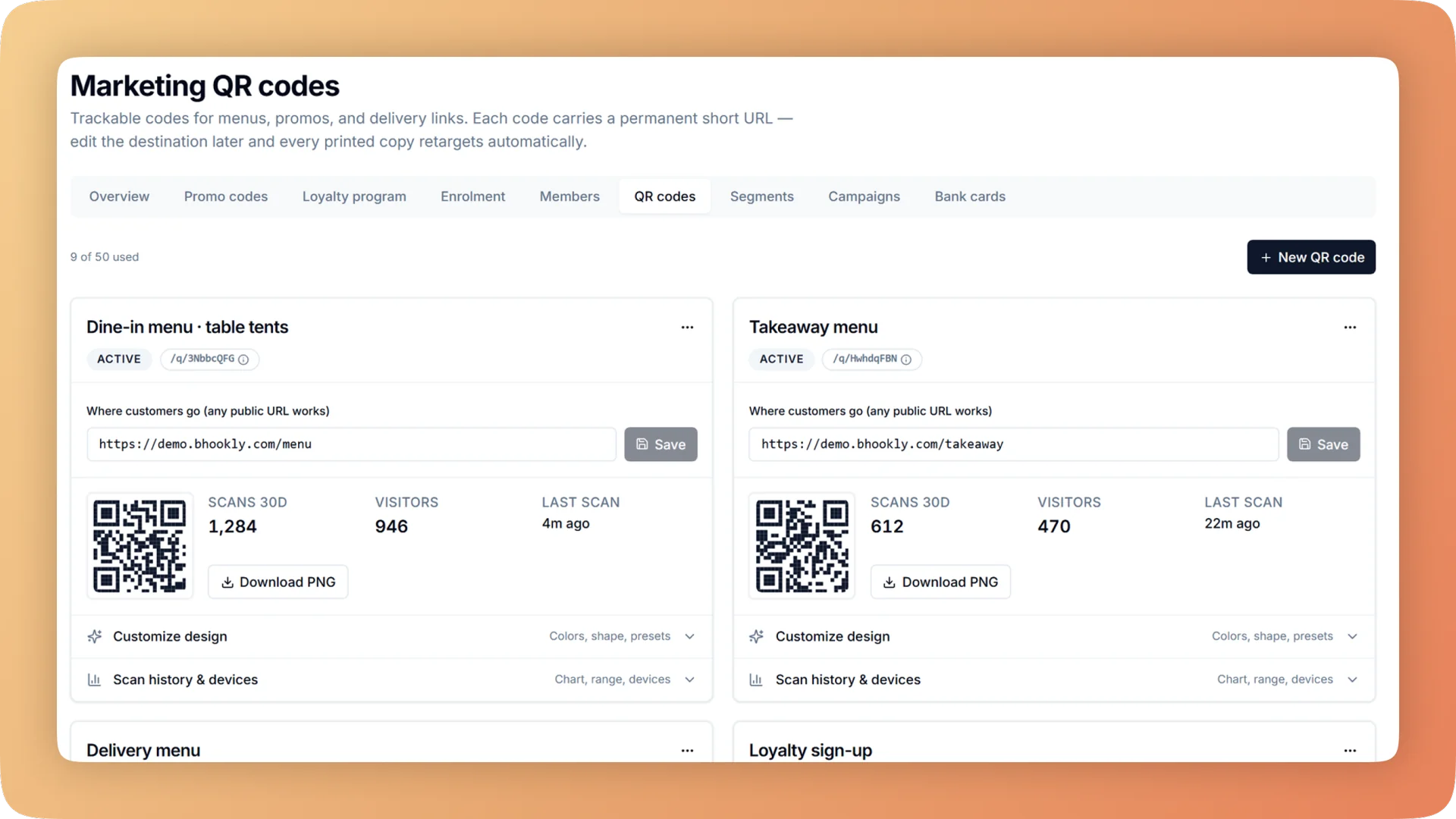
- Marketing QR codes count their scans and can be pointed at a new destination later, so nothing is reprinted when a link changes and you see which poster works.
Around the bill
The end of the meal is where a first-time guest becomes a known customer.
- Branded bill on the tablet
- The waiter presents a full-screen bill in your restaurant's colours, with the total by cash and by card.
- Loyalty sign-up QR on the bill
- The same screen shows a QR to join your loyalty card, so the guest signs up while the bill is in front of them.
- Feedback QR on the receipt
- A QR on the printed receipt takes a rating that arrives tied to the order, the server and the day. Guest Feedback covers what happens next.
- Loyalty QR and comeback coupon
- The receipt can also carry a loyalty QR and a single-use coupon for the next visit.
“The table layout builder alone saved us from so much confusion during peak hours. And the analytics finally gave us a real picture of what's actually selling versus what we think is selling.”
Things people usually ask us.
Still have a question? Message us and we reply the same day.
How does QR code ordering work in a restaurant?
Each table has its own QR code. With Bhookly the guest scans it, orders on their phone with no sign-up, staff accept the order on the till, and the ticket reaches the kitchen with the table number on it.
Do guests need to download an app or create an account?
No. Bhookly's table QR ordering opens in the phone's browser from the camera, and the diner orders with no sign-up and no app.
Can guests pay from the table?
Yes. With Bhookly guests can order and pay from the table. A waiter can also present the branded bill on a tablet, which shows the total by cash and by card.
How do QR orders reach the kitchen?
Through the till. A Bhookly QR order arrives in the online orders inbox with a repeating chime, and when staff tap Accept it goes to the kitchen display or the station printer with the table number on the ticket.
Do staff have to approve each QR order?
Yes. In Bhookly staff accept each QR order on the till before it is sent to the kitchen, and Reject sends the guest a reason. Food is only cooked for orders someone has seen.
How do I print QR codes for my tables?
Bhookly prints a branded QR code or an A5 table tent for every table in one job. The poster studio adds print-ready posters and table tents in six themes and three sizes.
What if someone photographs a table's QR code and uses it elsewhere?
Replace the code. Bhookly lets you issue a new QR code for a table, and every order is accepted by staff on the till before it reaches the kitchen.
Do QR orders show up in my sales reports and day close?
Yes. A Bhookly QR order flows to the kitchen, the bill, the reports and the nightly day close like a counter sale, so there is no separate system to reconcile.
Works with the rest of Bhookly
Let's get your restaurant running on Bhookly.
چلیں، شروع کریں
Book a 20-minute demo. We'll show you Bhookly running on your kind of restaurant, with no pressure and no obligation.
- No lock-in contracts
- Live in a morning
- Same-day WhatsApp support