Catering management software, from booking to final invoice.
Bhookly replaces the notebook and the WhatsApp thread. One booking carries the customer, the menu, the money and the kitchen plan, from the first enquiry to the final invoice.
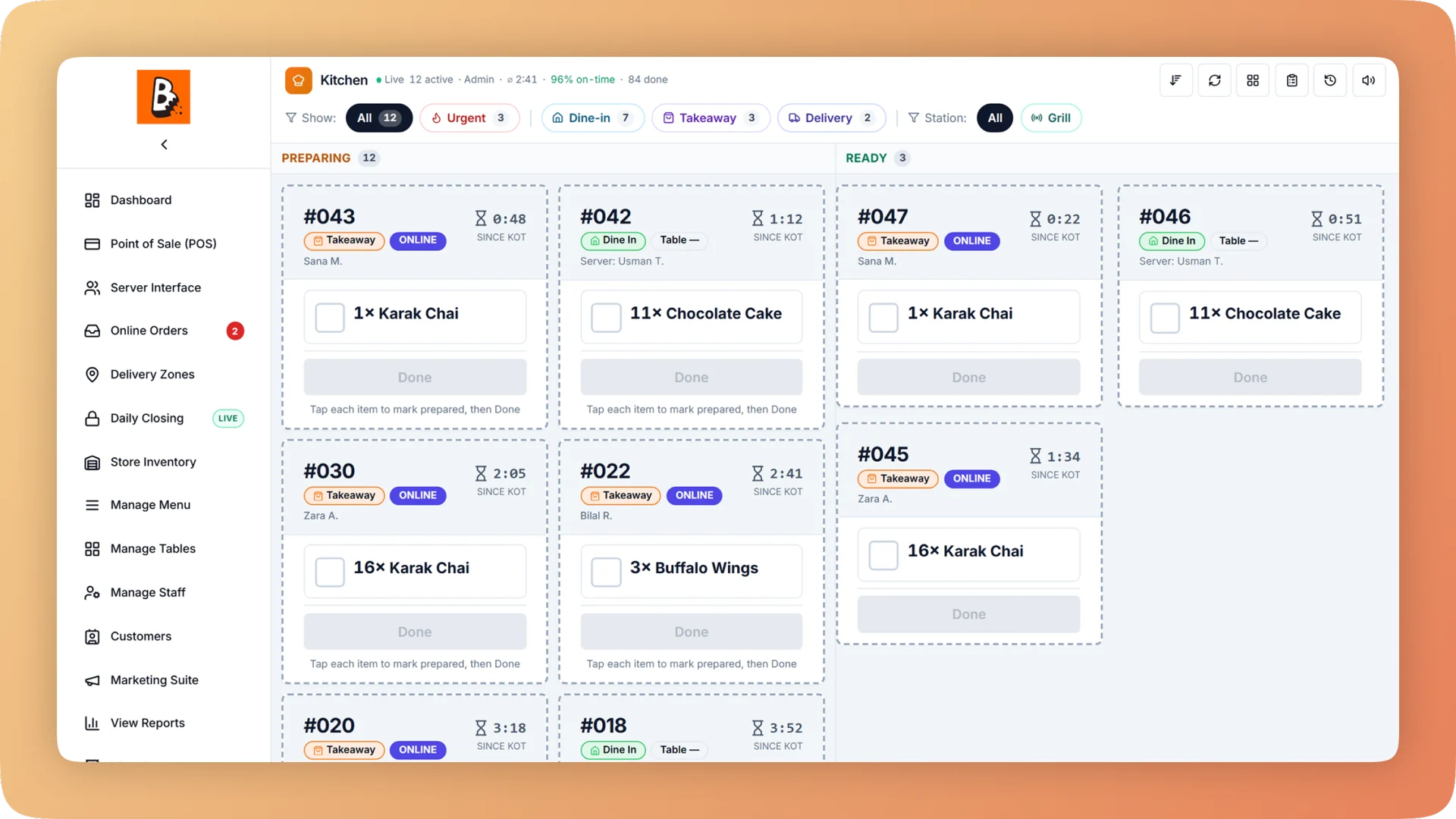
Catering Management on a live shift.
Take a catering booking, record the deposit, send it to the kitchen as a cooking plan in one tap, and close the event knowing what it really cost.
- Bookings move from Enquiry to Confirmed to Delivered to Closed, with a history
- Deposits, payments, refunds and balance due, kept apart from the till
- "Send to kitchen" turns a booking into a production plan in one tap
- Recipe cards that rescale themselves when you are cooking for 120
- Chafing dishes and other returnables tracked as sent, back or still out
What you get with Catering Management.
- One booking instead of a notebook
- Book an event with the customer, date, venue, guest count, dishes, special prices and notes. The booking moves from Enquiry to Confirmed to Delivered to Closed, and every change is kept in its history.
- Event money never touches the day's cash-up
- Record deposits, payments and refunds against the booking and see the balance due at any time. Catering money is kept apart from the till, so a large deposit does not distort tonight's close.
- The kitchen always has the current order
- Tap "Send to kitchen" and the booking becomes a production plan with every ingredient worked out. If the customer changes the menu or the numbers later, the plan updates with it.
- No arithmetic when cooking for 120
- Recipe cards open at the event quantity and read like a kitchen scale: 1.5 kg, 250 g. Event dishes appear on the kitchen display days ahead with a countdown, next to walk-in service.
- Equipment comes back
- Add boxes, foil and chafing dishes to the plan. Returnable items are marked sent, back or still out, so nothing is quietly left at a venue.
- The true cost of each event
- After the event, compare what the recipes said with what was actually used and split the leftovers into keep, send back or throw away. You close the booking knowing what it earned.
Everything Catering Management does.
Used by caterers, owners, managers, chefs and accountants.
Bookings
Everything agreed with the customer, in one place.
- Catering bookings
- Book an event with customer, date, venue, number of guests and the dishes ordered.
- Special prices and notes
- Set a price for this event that differs from the menu, and keep the event's notes on the booking.
- Enquiry to Closed
- Each booking moves through four stages: Enquiry, Confirmed, Delivered and Closed. You can see at a glance which events are still only enquiries.
- Booking history
- The booking keeps a history as it moves through its stages, so you can see what happened and when.
Deposits, balances and paperwork
What has been paid, what is owed, and a document for each.
- Deposits
- Record an advance against the booking when the customer confirms.
- Payments and refunds
- Record each further payment, and any refund, against the same booking.
- Balance due
- The booking always shows what the customer still owes after deposits, payments and refunds.
- Invoice PDF
- Print an invoice for the event as a PDF to hand or send to the customer.
- Receipt PDF
- Print a receipt as a PDF for money received against the booking.
- Catering money kept apart from the till
- Event deposits and payments stay out of the drawer count, so they never distort the day's cash-up.
From booking to kitchen
The confirmed order becomes the cooking plan, and stays in step with it.
- Booking to kitchen plan in one tap
- "Send to kitchen" turns a booking into a production plan. Later changes to the booking update the plan.
- Ingredients worked out for the event
- The plan lists every ingredient and prep item the event needs and compares it with what the kitchen and the store hold.
- Recipe cards at event quantity
- Each dish's recipe card rescales to the event's numbers, with amounts shown the way a kitchen scale reads them.
- Catering lane on the kitchen display
- Event dishes appear on the kitchen screen days ahead, with a countdown and the recipe at event quantity.
- Printable production sheet
- Print the event's cooking plan for the kitchen wall or the prep area.
- Change a plan
- When the guest count moves, the plan shows what is needed more or less and sends a top-up request to the store.
Packaging, equipment and wrap-up
What leaves with the food, what comes back, and what the event cost.
- Packaging on the plan
- Add boxes and foil to the event so they are counted with the food.
- Returnable equipment tracking
- Chafing dishes and other returnables are tracked as sent, back or still out.
- After-event wrap-up
- Compare what the recipes said the event should use with what was actually used.
- Leftovers: keep, send back, throw away
- Split what came back into food to keep, stock to send back to the store, and food to throw away.
- True cost of each event
- The wrap-up gives the real cost of the event, based on what was used rather than what was planned.
“We were managing everything on paper and WhatsApp. Bhookly changed that in a single day. Our kitchen team actually wants to use it — which has never happened with any software before.”
Things people usually ask us.
Still have a question? Message us and we reply the same day.
What does catering management software do?
Catering management software keeps an event's booking, payments and kitchen plan together. Bhookly records the booking with customer, date, venue, guests and dishes, tracks deposits and the balance due, turns the booking into a cooking plan, and closes with an invoice and the event's true cost.
Can I record a deposit for a catering order?
Yes. Bhookly records deposits, further payments and refunds against each catering booking and shows the balance due. You can print an invoice and a receipt as PDFs.
Do catering deposits get mixed into the daily cash count?
No. Bhookly keeps catering money apart from the till, so an event deposit never distorts the day's cash-up.
How does the kitchen know what to cook for an event?
In Bhookly, tapping "Send to kitchen" on a booking creates a production plan listing every ingredient and prep item. The event's dishes also appear on the kitchen display days ahead, with a countdown and the recipe at event quantity.
What happens if the guest count changes at the last minute?
The kitchen plan changes with it. In Bhookly, later changes to a booking update the production plan, the new numbers show what is needed more or less, and a top-up request goes to the store.
Can recipes be scaled for a large event?
Yes. Bhookly recipe cards open at the event's quantity and rescale to any batch size, with amounts written like a kitchen scale, such as 1.5 kg or 250 g. Nobody has to do arithmetic when cooking for 120.
Can I track chafing dishes and equipment sent to a venue?
Yes. In Bhookly you add packaging and equipment to the event's plan, and returnable items are tracked as sent, back or still out.
How do I know whether a catering event made money?
Bhookly's after-event wrap-up compares what the recipes said with what was actually used, and splits leftovers into keep, send back or throw away. That gives the true cost of each event to set against what the customer paid.
Works with the rest of Bhookly
Let's get your restaurant running on Bhookly.
چلیں، شروع کریں
Book a 20-minute demo. We'll show you Bhookly running on your kind of restaurant, with no pressure and no obligation.
- No lock-in contracts
- Live in a morning
- Same-day WhatsApp support