Restaurant staff management with a name on every action.
Each person sees only the screens their job needs. Voids, full comps and refunds wait for a manager's PIN, and every order, discount and void is recorded against the person who did it.
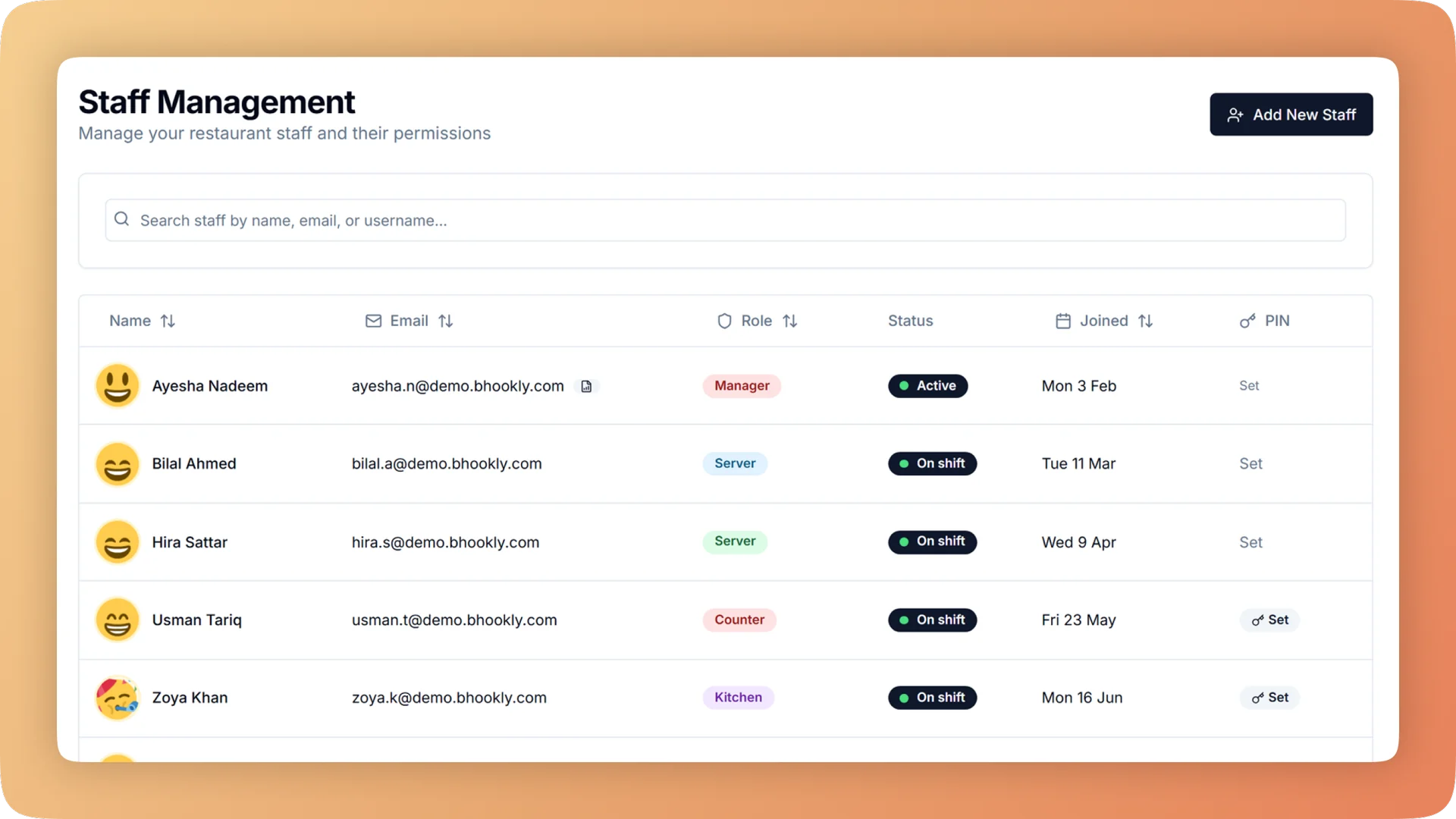
Staff Management on a live shift.
Restaurant staff management with eight job roles, a login for every person and manager PIN approval for voids, comps and refunds, so every action has a name.
- Eight job roles, each limited to its own screens
- A login and PIN for every person, so every order, void and discount carries a name
- Manager PIN approval for voids, full comps, refunds, write-offs and reopening a day
- Waiters order and send to the kitchen; they cannot take payment, discount or cancel
- Per-waiter report with sales, discounts given, cancelled orders and service-charge share
What you get with Staff Management.
- The right screens for each job
- Eight roles cover the building: administrator, manager, cashier, waiter, kitchen, kitchen manager, inventory manager and accountant. A waiter cannot open cash reports and a cashier cannot change prices, and the limits are enforced on the server as well as on the screen.
- No free food without a supervisor
- Voiding a sent item, comping an item in full and refunding a bill each need a manager's PIN. The PIN records who approved, and no two managers can share one.
- Every action has a name
- Each person has their own login, so every order, void and discount is recorded against them. Changing someone's password or role logs them out everywhere, which is a clean way to remove access when someone leaves.
- Fair service-charge payouts
- The staff performance report shows each waiter's orders, guests, sales, average bill, discounts given, cancelled orders and share of the service charge. Outliers are visible and the payout needs no spreadsheet.
- Each shift answers for its own cash
- Run one to four cash closings a day, each with its own drawer count. A shortage is pinned to a shift and the people on it, not discovered at midnight.
- Proof that the day gets closed
- The closing discipline scorecard shows each closing streak, the days that were missed and the days sealed without a count. An owner can check on a manager without being in the building.
Everything Staff Management does.
Used by owners, managers, cashiers, waiters and accountants.
Eight job roles
Assign a role and the person sees that job's screens and nothing else.
- Administrator
- The owner's role, with every screen and every setting, including the profit and loss statement.
- Manager
- Runs the shift: approves by PIN, records cash in and out and closes the day. Managers cannot see the profit and loss statement.
- Cashier
- Rings orders and takes payment at the till. A cashier cannot change prices.
- Waiter
- Takes orders at the table and sends them to the kitchen. A waiter cannot open cash reports.
- Kitchen
- Works the kitchen display: sees the tickets, ticks off items and marks orders done.
- Kitchen manager
- Runs the back of house: requests stock from the store, counts the kitchen and records what was thrown away.
- Inventory manager
- Looks after stock, counts and purchase orders. An order raised by a storekeeper waits for the owner's approval.
- Accountant login
- A read-only login for reports, expenses and profit. Your accountant gets the figures and cannot change a thing.
Accounts and access
Access belongs to a person, and it ends the moment you say so.
- Staff accounts and PINs
- Every person has their own login and PIN. Nobody shares a till account, so nobody can say it was someone else.
- A name on every order, void and discount
- Each action is saved with the account that did it, and shows in the reports and the void log.
- Remove access in one step
- Changing a person's password or role logs them out on every device at once.
- Enforced on the server
- Role limits are checked on the server as well as on the screen, so hiding a button is never the only protection.
- Waiters cannot take money
- Waiters order and send to the kitchen. Taking payment, discounting and cancelling belong to other roles.
What needs a manager's PIN
The actions that can hide a loss stop until a manager approves them, and the approval is recorded.
- Voids
- Voiding an item already sent to the kitchen needs a reason and a manager PIN, and prints DO NOT MAKE at the station.
- Full comps
- Discounting an item to zero needs a manager PIN, which closes the trick of comping instead of voiding.
- Refunds
- A full or partial refund needs a PIN and a reason. The sale is never deleted and the till still balances.
- Reopening a day
- The most recent closed day can be reopened by PIN to fix a miscount, and every reopen is logged.
- Stock write-offs
- Writing off a batch of stock, such as one that has expired, needs a manager's PIN.
- Waste
- An entry in the throw-away log records what was binned, how much and why, and is approved with a manager PIN.
- Goodwill stamps
- A manager can grant a guest up to five loyalty stamps, with a reason and a PIN.
- Recovery coupons
- When something goes wrong, a manager issues a larger coupon for the guest's next visit with a PIN. It is tied to that guest and logged.
- Returns to supplier
- Sending stock back for credit, cash or a bank refund needs a PIN.
- One PIN per manager
- No two managers can share a PIN, so an approval always points to one person.
Shifts and closing
Cash is counted by the people who handled it, while they are still there.
- Shifts
- Set one to four cash closings a day. Each shift has its own drawer count.
- Shift handover
- The outgoing shift counts the drawer, records a safe drop and prints a handover slip for the next shift.
- Hand the till to a manager
- The cashier taps a button, the manager types a PIN, and the device opens the day close as the manager. Nobody logs out and in again.
- Closing-time reminder
- A countdown banner appears on the till before closing, prompting the cashier to call the manager.
- Closing discipline scorecard
- See the closing streak, the days that were missed and the days sealed without a count.
Performance and audit
The same records that keep staff honest also show who is doing well.
- Staff performance report
- Per waiter: orders, guests, sales and average bill for any period.
- Discounts and cancellations per waiter
- The same report shows the discounts each waiter's bills carried and the orders that were cancelled, so outliers stand out.
- Service-charge share
- Each waiter's share of the service charge is worked out for you, and the Z report prints the split per waiter at the end of the day.
- Void log
- A permanent list of every voided item: who voided it, who approved it, why, what it was worth and whether the food was made. The Void Log page covers it in full.
- Self-approved voids flagged
- The log flags any void approved by the same person who made it.
“The table layout builder alone saved us from so much confusion during peak hours. And the analytics finally gave us a real picture of what's actually selling versus what we think is selling.”
Things people usually ask us.
Still have a question? Message us and we reply the same day.
Can I limit what each staff member can see and do?
Yes. Bhookly has eight job roles: administrator, manager, cashier, waiter, kitchen, kitchen manager, inventory manager and accountant. Each role sees only its own screens, and the limits are enforced on the server as well as on the screen.
Can I stop waiters from giving discounts or taking cash?
Yes. In Bhookly waiters take orders and send them to the kitchen, and they cannot take payment, give a discount or cancel an order. Those actions belong to cashiers and managers.
Which actions need a manager's PIN?
In Bhookly a manager's PIN is needed for voids of sent items, full comps, refunds, reopening a closed day, stock write-offs, waste entries, goodwill loyalty stamps, service recovery coupons and returns to a supplier. Each approval records which manager gave it.
Can two managers share the same PIN?
No. Bhookly does not allow two managers to share a PIN, so every approval points to one person.
How do I remove a staff member's access when they leave?
Change their password or role. Bhookly then logs that person out on every device at once, and their past orders, voids and discounts stay on record under their name.
Can my accountant see reports without being able to change anything?
Yes. Bhookly has a read-only accountant login that opens reports, expenses and profit and cannot edit anything.
How is the service charge divided between waiters?
Bhookly works out each waiter's share. The staff performance report shows it beside their orders, guests and sales, and the Z report prints the service-charge split per waiter at the end of the day.
How do I know my manager closes the till every night?
Bhookly's closing discipline scorecard shows the closing streak, the missed days and the days sealed without a count. A countdown banner on the till also reminds the cashier to call the manager before closing.
Works with the rest of Bhookly
Let's get your restaurant running on Bhookly.
چلیں، شروع کریں
Book a 20-minute demo. We'll show you Bhookly running on your kind of restaurant, with no pressure and no obligation.
- No lock-in contracts
- Live in a morning
- Same-day WhatsApp support