Restaurant daily closing and cash reconciliation, counted every night.
Know tonight if the till is short, and who was on it. Bhookly will not ring a sale until the drawer is counted, walks the manager through the close one payment type at a time, and sends you the Z report after the doors shut.
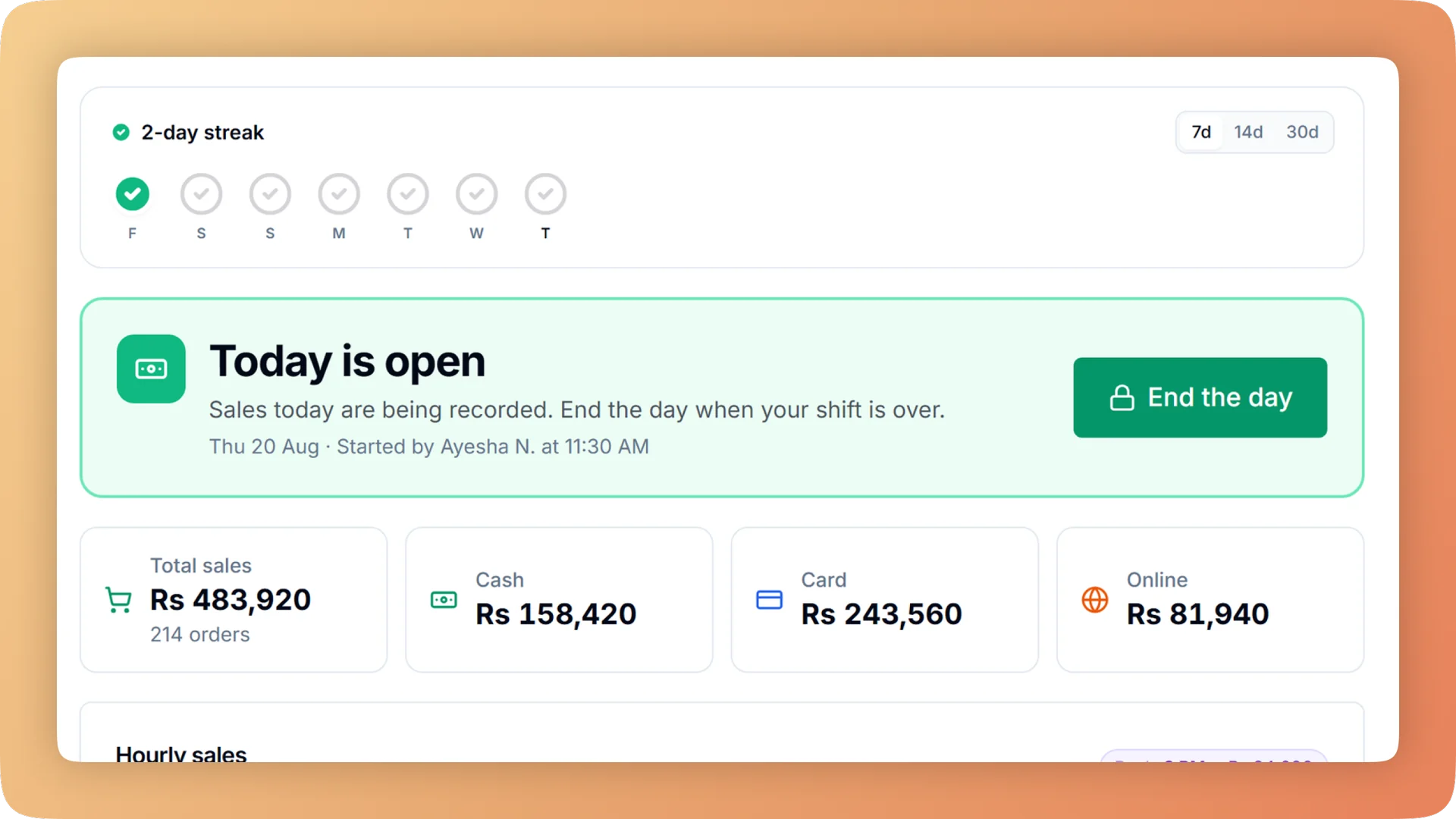
Daily Closing on a live shift.
Open on a declared float, count cash, card and online step by step, and get a numbered Z report showing tonight's shortage and the shift it belongs to.
- No sale can be rung until someone declares the cash in the drawer
- A guided close that counts cash, card and online and gives each a verdict: matches, short or over
- Up to four drawer counts a day, each with a safe drop and a printed handover slip
- A numbered Z report emailed about 30 minutes after close, and sent on WhatsApp
- Void, day-close and tax records that cannot be edited or deleted
What you get with Daily Closing.
- Every day starts from a real count
- The till stays locked until someone declares the cash in the drawer, and Bhookly never guesses a float. Today cannot start until yesterday is closed, so no day slips through uncounted.
- A close that cannot be skipped through
- The manager counts cash, then card, then online, one step at a time. Each step shows its working and a verdict: matches, short or over. A count cannot be skipped, and a big difference needs a written note.
- A shortage pinned to a shift
- Run up to four drawer counts a day. Each handover has its own count, a safe drop and a printed slip, so a missing amount belongs to the shift that held the drawer and is not discovered at midnight with nobody to ask.
- Petty cash with a reason on it
- Money taken from the drawer is recorded as a cash-out with a reason, and filed as an expense, a stock purchase or neither. It is written once, so it shows in the close and in your costs without double entry.
- The Z report comes to you
- About 30 minutes after each close, the people you choose get a summary and the Z report as a PDF by email, with the same figures on WhatsApp. You see takings and the till difference without opening the app.
- Records nobody can tidy up
- Closed days are final. Void, day-close and tax logs cannot be edited or deleted, even in the database. A miscount is fixed by reopening the latest day with a manager PIN, and every reopen is logged.
Everything Daily Closing does.
Used by owners, managers, cashiers and accountants.
Opening and running the day
Every cash figure at night is only as good as the count it started from.
- Start the day with a declared float
- No sale can be rung until a cashier or manager enters the cash in the drawer. Every later cash number is anchored to that count.
- Yesterday must be closed
- Today cannot start until yesterday is closed, or force-closed with a written reason. A forgotten day cannot pass without a record.
- Business day that starts at 5 AM
- Set the trading day to begin at 5 AM, so sales after midnight belong to the same day. A late-night restaurant gets one clean day in every close and report.
- Cash in and cash out
- Record money put into or taken from the drawer with a reason. Each cash-out is filed as an expense, a stock purchase or neither, so petty cash is explained at close.
- Shift handover
- Close the drawer between shifts, up to four counts a day. The outgoing shift answers for its own cash before the next one starts.
- Safe drop and handover slip
- At handover the manager records how much goes to the safe and prints a slip with the count. The slip is the paper proof of what changed hands.
The guided close
Closing is a set of steps the manager follows on screen, in the same order every night.
- Closing-time reminder
- A countdown banner appears on the till before closing time. The cashier calls the manager, and the day gets closed every night.
- Hand the till to a manager
- The cashier taps one button, the manager types a PIN, and the same device opens the day close as the manager. Nobody logs out and back in at the end of a shift.
- Count cash, card and online in turn
- Each payment type is its own step. The screen shows what was expected, what was counted and how the expected figure was worked out.
- A verdict for each payment type
- Every step ends with matches, short or over, and the amount. You know whether the problem is in the drawer, the card slips or the wallet transfers.
- No skipped counts
- A count cannot be left out, and a large difference cannot be saved without a written note explaining it.
- Named online payment providers
- Split online into the wallets and banks you accept, such as Easypaisa, JazzCash or a bank transfer. Each one is checked against its own statement total.
- Delivery-app settlement
- Orders paid through a delivery app are kept apart from the till and checked against the app's own total at close. Mis-keyed app orders are caught, and online does not show a false surplus.
- Offline checks at close
- If food was sent to the kitchen during an internet cut and never billed, closing is blocked until it is dealt with. An outage does not become free food.
What the close produces
One slip for the manager tonight, and proof for the owner over time.
- Numbered Z report
- One end-of-day slip with sales, tax, counted versus expected for each payment type, cash movements, voids, refunds and discounts. Each report carries its own number.
- Service-charge split per waiter
- The Z report lists each waiter's share of the service charge. It is the sheet restaurants use to pay it out.
- Emailed Z report
- About 30 minutes after close, the people you choose receive a summary and the Z report as a PDF. If the day is corrected, the new email replaces the earlier one.
- Z report on WhatsApp
- The same closing figures arrive as a WhatsApp message, for owners who read WhatsApp before email.
- Money health check
- After each close, ten checks look for sales that could vanish from reports. The figures you read the next morning have already been tested.
- Closing discipline scorecard
- See the closing streak, missed days and days sealed without a count. It is proof that your managers close properly every night.
Corrections and evidence
Honest mistakes can be fixed. The history of what happened cannot be rewritten.
- Reopen with PIN
- The most recent closed day can be reopened with a manager PIN to fix a miscount. Every reopen is logged with who did it.
- Force-close with a reason
- A day that was left open can be force-closed so trading can continue, but only with a written reason. The reason stays on the record for the owner to read.
- Tamper-proof records
- Void, day-close and tax logs cannot be edited or deleted, even in the database. Evidence of a shortage cannot be erased after the fact.
- Closed days are final
- Once a day is closed, its sales and counts are fixed. Changes happen through a logged reopen, never by quietly editing old figures.
“Setup took less than a morning. By dinner service we were fully live. I've onboarded three POS systems over the years — this is by far the fastest I've ever seen a team get comfortable.”
Things people usually ask us.
Still have a question? Message us and we reply the same day.
How do I know if my restaurant's cash is short at the end of the day?
Bhookly tells you at the close, the same night. The manager counts cash, card and online one step at a time, and each step shows what was expected, what was counted and a verdict: matches, short or over. The result is printed on a numbered Z report and emailed to you about 30 minutes later.
Can I see which shift a cash shortage belongs to?
Yes. Bhookly supports up to four drawer counts a day, so each shift counts its own cash at handover, records a safe drop and prints a handover slip. A shortage is pinned to the shift that held the drawer.
Does the daily closing reconcile card and online payments, or only cash?
Bhookly reconciles cash, card and online payments separately in the same close. Online can be split into named wallets and banks so each one is matched against its own statement, and delivery-app orders are checked against the app's own total.
What happens if staff forget to close the day?
Bhookly will not let the next day start until yesterday is closed or force-closed with a written reason. A countdown banner reminds the cashier before closing time, and the owner's scorecard shows the closing streak, missed days and days sealed without a count.
Can someone change the figures after the day is closed?
No. In Bhookly a closed day is final, and the void, day-close and tax logs cannot be edited or deleted, even in the database. A genuine miscount is corrected by reopening the most recent day with a manager PIN, and every reopen is logged.
What is on the Z report?
The Bhookly Z report is one numbered end-of-day slip. It shows sales, tax, counted versus expected money, cash movements, voids, refunds, discounts and the service-charge split per waiter.
My restaurant stays open past midnight. Which day do late sales count towards?
Late sales stay in the same trading day. Bhookly lets the business day start at 5 AM, so an order at 1 AM belongs to the night it was served and appears in that night's close.
Can staff take cash from the drawer for supplies during the day?
Yes, and Bhookly records it. Each cash-out needs a reason and is filed as an expense, a stock purchase or neither, so the closing count already accounts for it and the cost is not entered twice.
Works with the rest of Bhookly
Let's get your restaurant running on Bhookly.
چلیں، شروع کریں
Book a 20-minute demo. We'll show you Bhookly running on your kind of restaurant, with no pressure and no obligation.
- No lock-in contracts
- Live in a morning
- Same-day WhatsApp support