Restaurant menu management: one menu for the till, the kitchen and online.
Add a dish with its photo, price, category and prep time and it is live in a minute. Sizes, add-ons, deals and sold-out switches are set once and followed by every till, kitchen station and ordering channel.
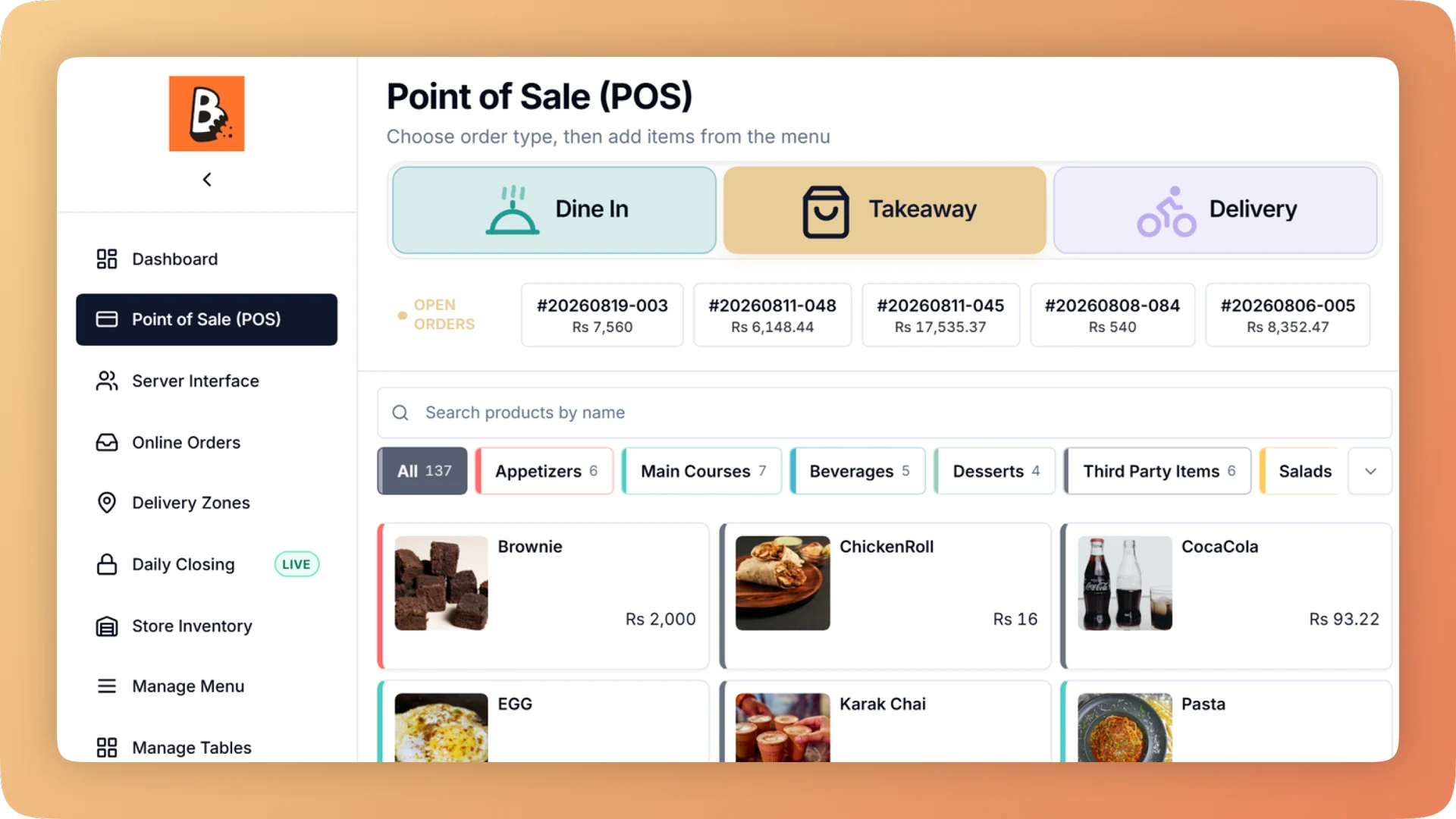
Menu Management on a live shift.
One menu runs the till, kitchen, QR menu, ordering website and WhatsApp. Set sizes, add-ons and deals once, and mark a dish sold out everywhere in one tap.
- Dishes with photo, price, category and prep time, and bulk availability changes
- Sizes, required choices and paid add-ons on one dish or a whole category
- Sold out for today, retired for good, or hidden from the website only
- Each category sends its dishes to the right kitchen station
- Combos and time-based deals, plus tags to report on any group of dishes
What you get with Menu Management.
- One menu, every channel
- Change a price once and it changes on the counter, the waiter tablets, the QR menu, the ordering website and your branded app at the same time. There is no second menu to keep in step.
- Sold out in one tap, everywhere
- Mark a dish sold out and it greys out at the till, comes off everywhere customers order, and shows as out of stock on WhatsApp. Retire a dish instead and it disappears without losing its sales history.
- One product with sizes, not three copies
- Option groups hold sizes, required choices and paid extras, attached to a single dish or a whole category. Extras are charged every time because the till asks for them.
- No accidental menu-wide price change
- Attaching options to a category shows each dish's price before and after. Nothing is saved until you confirm.
- Combos and time-based deals
- Build combos and deals that run at set times, the way your menu actually sells. Tag the dishes involved and report on the group to see whether the deal paid for itself.
- The right ticket at the right station
- Assign each category to a kitchen station and one order splits itself: drinks to the bar, food to the grill. The setup page warns about any category with no station.
Everything Menu Management does.
Used by owners, managers, cashiers and waiters.
Dishes and categories
Building the menu and keeping it organised.
- Products and categories
- Add and edit dishes with a photo, price, category and prep time on one short form. A new dish is live in a minute.
- Bulk availability changes
- Switch several dishes on or off together, for example a whole breakfast range at eleven.
- Category routing to kitchen stations
- A category sends its dishes to its kitchen station, on screen or on that station's printer. Nobody sorts tickets by hand.
- Tags for reporting
- Label dishes with your own tags, such as "Summer Special", and report on the group. You judge a promotion without restructuring the menu.
- Menu and recipes from a spreadsheet
- Create many dishes with their recipes from one file. Every row is checked before anything is saved, so hundreds of recipes load in one go.
- Featured dishes on the ordering website
- Pick the dishes that sit at the top of your online menu. Use it for signature plates or the ones with the best margin.
Availability on every channel
Three different switches, because out today, gone for good and dine-in only are different things.
- Sold out for today
- Switch an item off for the day. It stays visible but greyed at the till, so staff can say "we're out today", and customers cannot order it online.
- Retired items
- Retire a dish and it leaves the menu without deleting its sales history. Last year's reports still add up.
- Hide from the website
- Keep an item on the till but off the online menu. Dine-in-only dishes stay off delivery.
- Out of stock on WhatsApp
- A sold-out item also shows as out of stock in the WhatsApp menu, so nobody orders it by message.
- One change, every screen
- Price, name, photo and availability changes reach the till, waiter tablets, QR menu, ordering website and branded app together.
Sizes, add-ons and deals
The choices a guest makes, set up once so every cashier and every online order gets them right.
- Sizes and add-ons
- Option groups cover sizes, required choices and paid extras. Attach a group to one dish or to a whole category.
- Option rules
- One choice can change another: a Large cup asks for three scoops where a Medium asks for two. Complex menus are sold correctly without training.
- Price-impact preview
- Before options are attached to a category, every affected dish is listed with its price before and after. The change is saved only when you confirm it.
- Combos and time-based deals
- Sell set combinations at a combo price and run deals during the hours you choose.
- Options sheet at the till
- Sizes, required choices and paid add-ons appear on one sheet, and it opens only when something must be answered. A plain coffee is still one tap.
- Kitchen notes
- Notes per item and per order print on the ticket so the kitchen reads them as exceptions. That means fewer remakes.
Cost and margin on the menu
Every dish on the menu can carry its cost. The full method is on the Recipe Costing page.
- Margin per dish
- The menu lists every item with its price, cost, profit and margin, and flags the items that need attention.
- Four ways to cost a dish
- Cost a dish from a recipe, a fixed cost or a percentage of its price, or leave it uncosted. Margin reporting works from day one, before every recipe is written.
- Rough-in the rest
- One step gives every uncosted item an estimated cost, so the margin list has no blanks while you write the real recipes.
- Recipes for sizes and options
- An option carries its own recipe: an extra shot adds, iced replaces, a whole cake multiplies. Cost and stock stay right for every variation.
“Setup took less than a morning. By dinner service we were fully live. I've onboarded three POS systems over the years — this is by far the fastest I've ever seen a team get comfortable.”
Things people usually ask us.
Still have a question? Message us and we reply the same day.
Do menu changes sync to online ordering and the QR menu?
Yes. Bhookly runs the till, kitchen, QR menu, ordering website and branded app from one menu, so a price or availability change made once appears on all of them.
How do I mark an item sold out on the POS?
Switch the item off for today in Bhookly and it is sold out everywhere. It stays greyed at the till so staff can see it, customers can no longer order it online, and it shows as out of stock on WhatsApp.
Can I set up sizes and add-ons without creating separate products?
Yes. Bhookly uses option groups for sizes, required choices and paid extras, attached to one dish or a whole category. A coffee with three sizes is one product, and the till asks for the size only when it has to.
Can I run deals and combos?
Yes. Bhookly supports combos and time-based deals alongside sizes and add-ons. Tag the dishes in a deal and the reports show sales and margin for that group.
Can I keep a dish on the till but hide it from my website?
Yes. Bhookly has a hide-from-website switch per item, so a dine-in-only dish stays on the till and off the online menu.
Can I upload my menu from Excel?
Yes. Bhookly creates dishes and their recipes from one spreadsheet and checks every row before anything is saved. Bhookly's team also loads the menu for you during setup.
Does Bhookly show the profit margin on each menu item?
Yes. Bhookly lists every dish with its price, cost, profit and margin, and a dish can be costed by recipe, fixed cost or a percentage of price. The Recipe Costing module covers this in full.
How do orders reach the right kitchen station?
Bhookly routes by menu category. Assign each category to a station and one order sends drinks to the bar and food to the grill, on a screen or a printer, and the setup page warns about any category with no station.
Works with the rest of Bhookly
Let's get your restaurant running on Bhookly.
چلیں، شروع کریں
Book a 20-minute demo. We'll show you Bhookly running on your kind of restaurant, with no pressure and no obligation.
- No lock-in contracts
- Live in a morning
- Same-day WhatsApp support