Restaurant food waste tracking: what was binned, why, and what it cost.
Every loss gets a reason, a name and a value: food thrown away, dishes voided after they were cooked, stock that expired, and stock that was simply not there at the count.
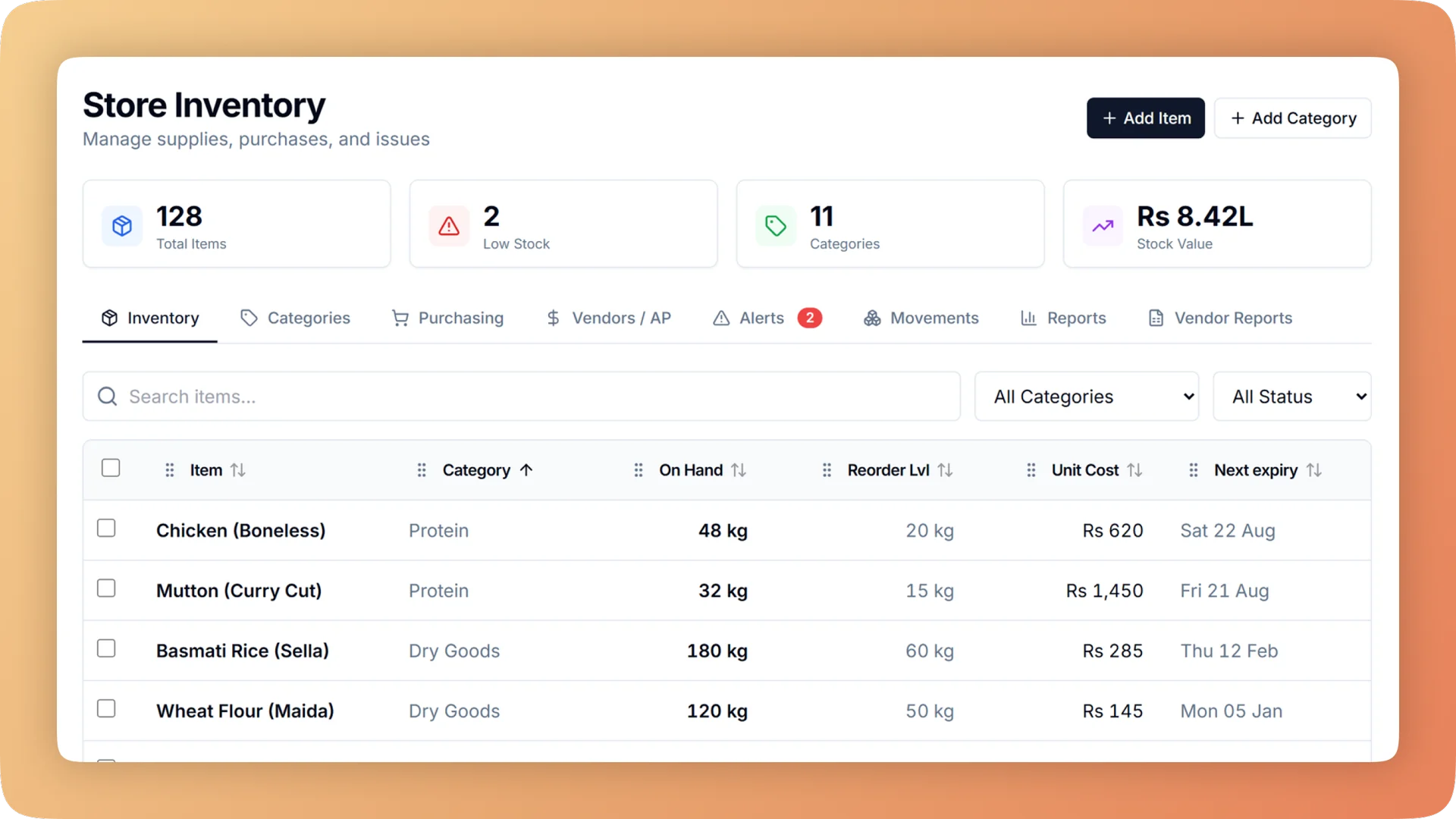
Waste & Expiry Control on a live shift.
See what was thrown away, why, and what it cost. Bhookly logs every binned item with a reason, tracks expiry by delivery, and puts a money figure on each loss.
- A throw-away log with reason, batch, optional photo and manager PIN
- Voids ask "Not made" or "Made, thrown away", and a made dish is written off as waste
- Each delivery carries its own expiry date, and the earliest is always used first
- A count shows the gap in units and in money
- Losses reported by cause: waste, missing at count, and dishes thrown away
What you get with Waste & Expiry Control.
- Waste becomes a number with a reason and a name
- Staff record what was binned, how much, why, and from which batch, with an optional photo. A manager approves it by PIN, and the entry is valued at what that batch actually cost.
- Voids stop hiding food cost
- Voiding an item that was already sent to the kitchen asks one question: "Not made" or "Made, thrown away". A made dish writes its ingredients off as waste, so the food cost shows up where it belongs.
- Expiry is tracked delivery by delivery
- Each delivery has its own date and the earliest is always used first. Alerts show the money at risk before stock expires, and a batch that does expire is written off at its real cost.
- A count that speaks in money
- Enter what is on the shelf and Bhookly shows the gap in units and in money, for example "about Rs 900 missing", then sets stock to the count. Theft and leakage stop being a feeling.
- Losses separated by cause
- Stock reports split what is being lost into waste, stock missing at count, and dishes thrown away. You know whether the problem is the bin, the storeroom or the pass.
- The owner hears when waste is above normal
- The dashboard raises an alert when food thrown away runs above the restaurant's own normal, and when stock is close to expiry. Nobody has to remember to check.
Everything Waste & Expiry Control does.
Used by owners, kitchen managers, storekeepers, managers and accountants.
The throw-away log
One entry for everything that goes in the bin.
- Throw-away log
- Record what was binned and how much, at the moment it happens.
- Reason for every entry
- Each entry says why the food was thrown away, so the log can be read by cause and not only by total.
- Batch it came from
- The entry names the batch or delivery the food came from.
- Optional photo
- Attach a photo of what was thrown away as evidence for the owner.
- Manager PIN
- Waste is approved with a manager's PIN, which records who signed it off.
- Valued at batch cost
- The loss is valued at what that batch cost, not at an average or a guess.
Voids and cooked food
A cancelled dish that was already cooked is waste, and is counted as waste.
- "Was it made?" on voids
- Voiding a sent item asks the cashier to choose "Not made" or "Made, thrown away".
- Made dishes written off
- A dish marked as made writes its recipe ingredients off as waste.
- Not made, nothing lost
- A dish caught before cooking is marked "Not made" and is not counted as waste, so the waste figure stays honest.
- Kept on the void record
- The void log shows, for each voided item, whether the food was made, next to who voided it and who approved it.
Expiry tracking
Use the oldest stock first, and see what is about to be lost while there is time to act.
- A date for each delivery
- Each delivery of an item has its own expiry date, so two deliveries of the same ingredient are tracked separately.
- Earliest used first
- Sales and cooking always draw from the delivery with the earliest date.
- Money at risk before expiry
- Expiry alerts show the value of the stock about to expire, not only its name.
- Write-off at real cost
- An expired batch is written off at what it cost, and counted as a loss in the reports.
- Use-by dates on food batches
- When the kitchen makes a batch of gravy or dough, it goes on the shelf with its own use-by date.
- Slow and expiring stock report
- One report lists items that are not moving and items close to their date.
Counts, issues and stock history
Every unit that leaves stock without being sold has a reason.
- Count an item
- Enter what is on the shelf. Bhookly sets stock to the count.
- The gap in units and money
- Each count shows the difference in units and in money, such as "about Rs 900 missing".
- Issue and adjust
- Record stock leaving for staff meals, cleaning, spoilage or return to supplier, optionally against a person.
- Stock history in plain words
- Every movement is listed with who did it, in words such as "Wasted, spoilage" or "Issued to Ali, staff use".
- After-event leftovers
- After a catering event or a production run, leftovers are split into keep, send back to store, or throw away.
Reports and owner alerts
The totals, and a nudge when they move.
- Stock loss by cause
- Stock reports split losses into waste, stock missing at count, and dishes thrown away.
- Stock value and usage
- The same reports show what stock is worth, what was used, and which items need attention, with Excel export.
- Alert: food thrown away above normal
- The owner dashboard flags waste that runs above the restaurant's own normal level.
- Alert: expiring stock
- Stock close to its expiry date is raised automatically on the dashboard.
- WhatsApp alerts and morning digest
- The owner gets WhatsApp alerts for expiring stock, overuse, short deliveries, price jumps and late suppliers, plus a morning digest.
- Kitchen flow dashboard and reports
- Live boxes show what is waiting, short or late across plans, cooking and the store. Reports cover used versus should have used, whether the kitchen got what it asked for, lost in transit by person, yield by cook, and supplier price changes and punctuality.
“We were managing everything on paper and WhatsApp. Bhookly changed that in a single day. Our kitchen team actually wants to use it — which has never happened with any software before.”
Things people usually ask us.
Still have a question? Message us and we reply the same day.
How do restaurants track food waste?
Restaurants track food waste by logging every item thrown away with its quantity, reason and cost. Bhookly's throw-away log records what was binned, how much, why, and from which batch, with an optional photo and a manager PIN, and values it at what that batch cost.
Can I see how much money my restaurant loses to waste?
Yes. Bhookly values each thrown-away item at the cost of its batch, and its stock reports total the losses by cause: waste, stock missing at count, and dishes thrown away.
Does a voided order count as food waste?
Only if the food was cooked. When a sent item is voided, Bhookly asks "Not made" or "Made, thrown away", and a made dish writes its ingredients off as waste.
Does the system track expiry dates?
Yes. In Bhookly each delivery has its own expiry date and the earliest is always used first. Alerts show the money at risk before stock expires, and an expired batch is written off at its real cost.
How do I find out if stock is going missing?
Count the item. Bhookly compares your count with what the system expected and shows the gap in units and in money, for example "about Rs 900 missing", then sets stock to the count.
Can staff throw food away without a manager knowing?
Not on the record. In Bhookly a waste entry and a stock write-off need a manager's PIN, and the stock history lists every movement with who did it.
Will I be told when waste is higher than usual?
Yes. Bhookly raises an automatic alert for the owner when food thrown away is above the restaurant's own normal, and when stock is about to expire.
What happens to leftovers after a catering event?
They are sorted and recorded. Bhookly's after-event wrap-up splits leftovers into keep, send back to store, or throw away, so what was wasted is counted in the event's cost.
Works with the rest of Bhookly
Let's get your restaurant running on Bhookly.
چلیں، شروع کریں
Book a 20-minute demo. We'll show you Bhookly running on your kind of restaurant, with no pressure and no obligation.
- No lock-in contracts
- Live in a morning
- Same-day WhatsApp support