Menu Management for cafés.
Bhookly staff set up Menu Management for cafés and load the menu for them. Each restaurant gets its own web address and its own database, so its data never mixes with another's.
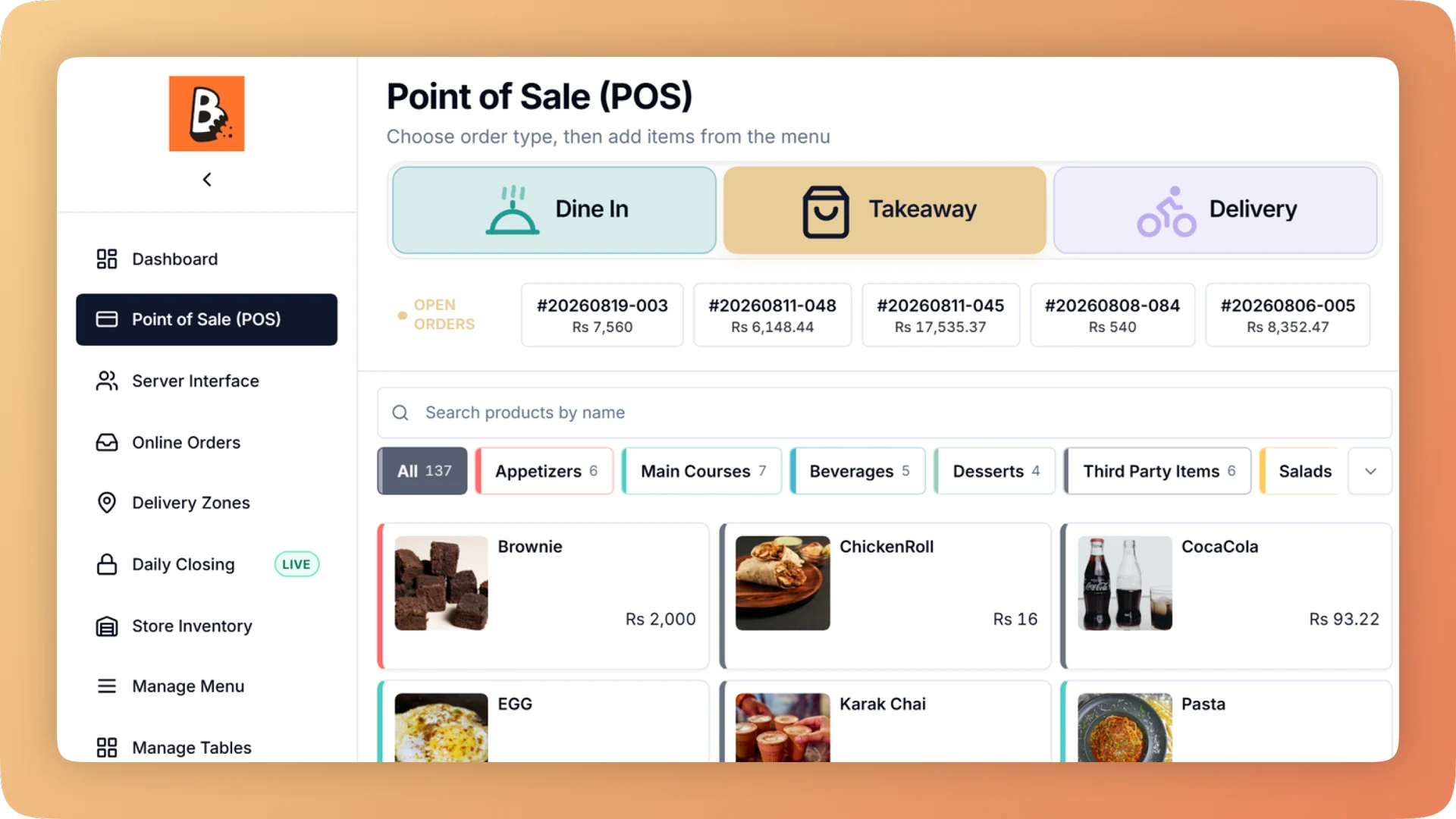
What Menu Management does for your café.
- One menu, every channel
- Change a price once and it changes on the counter, the waiter tablets, the QR menu, the ordering website and your branded app at the same time. There is no second menu to keep in step.
- Sold out in one tap, everywhere
- Mark a dish sold out and it greys out at the till, comes off everywhere customers order, and shows as out of stock on WhatsApp. Retire a dish instead and it disappears without losing its sales history.
- One product with sizes, not three copies
- Option groups hold sizes, required choices and paid extras, attached to a single dish or a whole category. Extras are charged every time because the till asks for them.
- No accidental menu-wide price change
- Attaching options to a category shows each dish's price before and after. Nothing is saved until you confirm.
- Combos and time-based deals
- Build combos and deals that run at set times, the way your menu actually sells. Tag the dishes involved and report on the group to see whether the deal paid for itself.
- The right ticket at the right station
- Assign each category to a kitchen station and one order splits itself: drinks to the bar, food to the grill. The setup page warns about any category with no station.
Built for how cafés actually run.
- Full Menu Management overview
One menu runs the till, kitchen, QR menu, ordering website and WhatsApp. Set sizes, add-ons and deals once, and mark a dish sold out everywhere in one tap.
- Bhookly for cafés
Café POS with a loyalty card in the phone wallet.
- Paper stamp cards get lost or forged, and you never learn who your regulars are.
- One undecided guest at the counter holds up the whole morning queue.
- A latte comes in three sizes with six add-ons, and nobody knows what each version costs to make.
- Slow afternoons get filled with discounts that eat the margin.
- Home bakers stock your display, and working out what each one is owed takes a notebook and an evening.
- Delivery-app commission comes out of a margin that was already thin.
More of what cafés run on
Point of Sale for cafés
A restaurant POS with one screen from order to payment: split a bill between 2 and 30 guests, hold orders, apply bank card deals and keep selling offline.
Loyalty & Wallet Cards for cafés
A restaurant loyalty programme with a digital stamp card in Apple Wallet and Google Wallet. Guests join by QR in seconds, with no app and no paper card.
Recipe Costing for cafés
Recipe costing software for restaurants: see price, cost, profit and margin on every dish, with the food cost per plate worked out line by line.
Things people usually ask us.
Still have a question? Message us and we reply the same day.
Do menu changes sync to online ordering and the QR menu?
Yes. Bhookly runs the till, kitchen, QR menu, ordering website and branded app from one menu, so a price or availability change made once appears on all of them.
How do I mark an item sold out on the POS?
Switch the item off for today in Bhookly and it is sold out everywhere. It stays greyed at the till so staff can see it, customers can no longer order it online, and it shows as out of stock on WhatsApp.
Can I set up sizes and add-ons without creating separate products?
Yes. Bhookly uses option groups for sizes, required choices and paid extras, attached to one dish or a whole category. A coffee with three sizes is one product, and the till asks for the size only when it has to.
Can I run deals and combos?
Yes. Bhookly supports combos and time-based deals alongside sizes and add-ons. Tag the dishes in a deal and the reports show sales and margin for that group.
Can I keep a dish on the till but hide it from my website?
Yes. Bhookly has a hide-from-website switch per item, so a dine-in-only dish stays on the till and off the online menu.
Can I upload my menu from Excel?
Yes. Bhookly creates dishes and their recipes from one spreadsheet and checks every row before anything is saved. Bhookly's team also loads the menu for you during setup.
Does Bhookly show the profit margin on each menu item?
Yes. Bhookly lists every dish with its price, cost, profit and margin, and a dish can be costed by recipe, fixed cost or a percentage of price. The Recipe Costing module covers this in full.
How do orders reach the right kitchen station?
Bhookly routes by menu category. Assign each category to a station and one order sends drinks to the bar and food to the grill, on a screen or a printer, and the setup page warns about any category with no station.
Run menu management on Bhookly.
چلیں، شروع کریں
Book a 20-minute demo. We'll show you Bhookly running on your kind of restaurant, with no pressure and no obligation.
- No lock-in contracts
- Live in a morning
- Same-day WhatsApp support