Staff Management for fine-dining restaurants.
In Bhookly, Staff Management for fine-dining restaurants updates on every till and tablet within about a second, so the counter, the floor and the kitchen never work from different pictures.
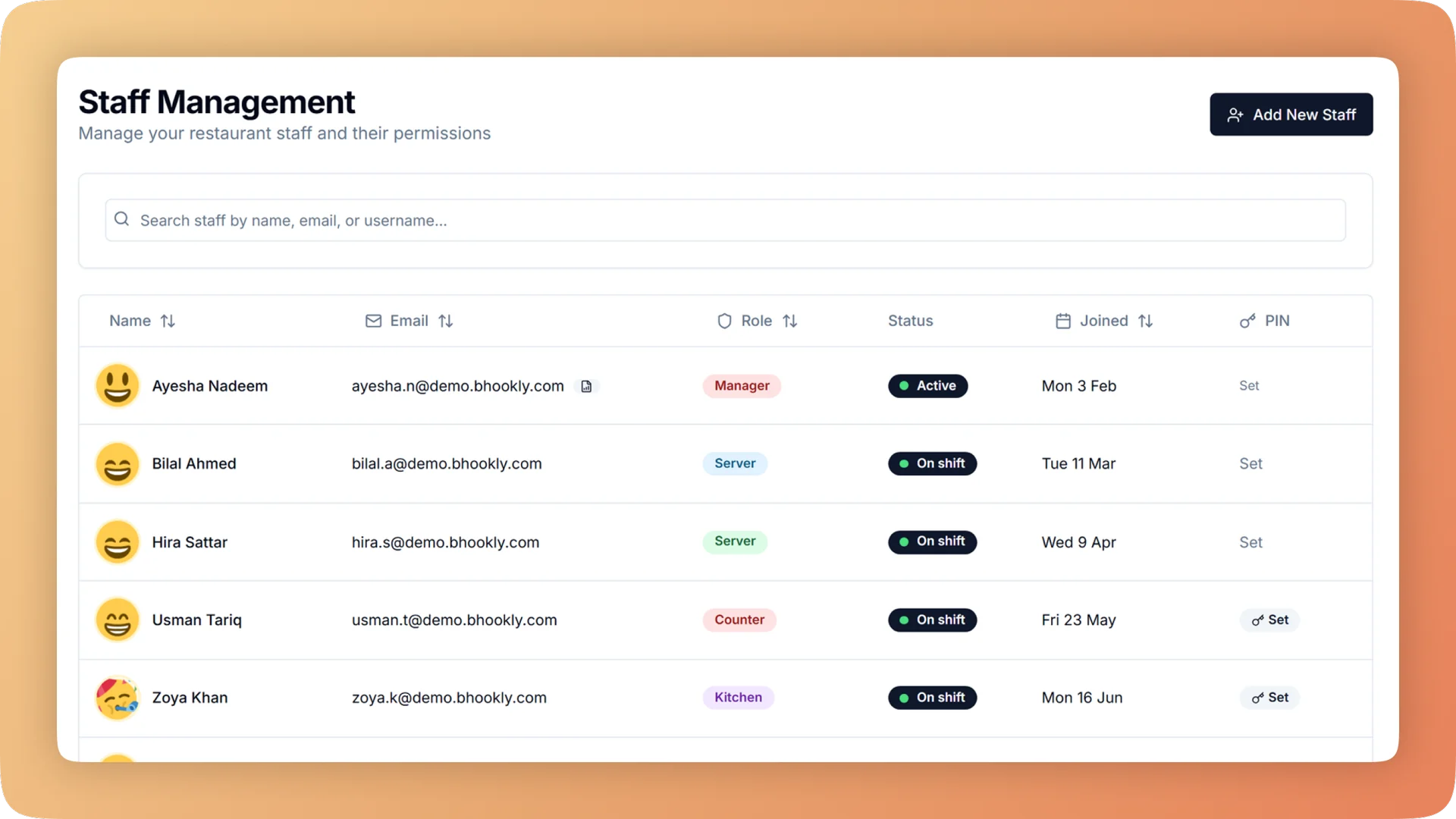
What Staff Management does for your fine dining.
- The right screens for each job
- Eight roles cover the building: administrator, manager, cashier, waiter, kitchen, kitchen manager, inventory manager and accountant. A waiter cannot open cash reports and a cashier cannot change prices, and the limits are enforced on the server as well as on the screen.
- No free food without a supervisor
- Voiding a sent item, comping an item in full and refunding a bill each need a manager's PIN. The PIN records who approved, and no two managers can share one.
- Every action has a name
- Each person has their own login, so every order, void and discount is recorded against them. Changing someone's password or role logs them out everywhere, which is a clean way to remove access when someone leaves.
- Fair service-charge payouts
- The staff performance report shows each waiter's orders, guests, sales, average bill, discounts given, cancelled orders and share of the service charge. Outliers are visible and the payout needs no spreadsheet.
- Each shift answers for its own cash
- Run one to four cash closings a day, each with its own drawer count. A shortage is pinned to a shift and the people on it, not discovered at midnight.
- Proof that the day gets closed
- The closing discipline scorecard shows each closing streak, the days that were missed and the days sealed without a count. An owner can check on a manager without being in the building.
Built for how fine-dining restaurants actually run.
- Full Staff Management overview
Restaurant staff management with eight job roles, a login for every person and manager PIN approval for voids, comps and refunds, so every action has a name.
- Bhookly for fine-dining restaurants
Fine-dining POS for the floor, the pass and the bill.
- Coordinating courses across grill, tandoor and bar on a full night.
- A table of twelve that wants the bill split at the end, some by cash and some by card.
- Reservations and table turns during peak service.
- A slow table nobody notices until the guest raises a hand.
- Service-charge payouts worked out by hand and argued over.
- A bad meal you read about online a week later, when the guest has already gone.
More of what fine-dining restaurants run on
Table Management for fine-dining restaurants
Table management on your own floor plan: each table shows its order, guests, running bill and a timer, and waiters send orders to the kitchen from a tablet.
Kitchen Display System for fine-dining restaurants
Every cook sees their own tickets, and late ones turn red. Run a kitchen display, printed KOT slips, or a mix per station, from one order at the till.
Point of Sale for fine-dining restaurants
A restaurant POS with one screen from order to payment: split a bill between 2 and 30 guests, hold orders, apply bank card deals and keep selling offline.
Things people usually ask us.
Still have a question? Message us and we reply the same day.
Can I limit what each staff member can see and do?
Yes. Bhookly has eight job roles: administrator, manager, cashier, waiter, kitchen, kitchen manager, inventory manager and accountant. Each role sees only its own screens, and the limits are enforced on the server as well as on the screen.
Can I stop waiters from giving discounts or taking cash?
Yes. In Bhookly waiters take orders and send them to the kitchen, and they cannot take payment, give a discount or cancel an order. Those actions belong to cashiers and managers.
Which actions need a manager's PIN?
In Bhookly a manager's PIN is needed for voids of sent items, full comps, refunds, reopening a closed day, stock write-offs, waste entries, goodwill loyalty stamps, service recovery coupons and returns to a supplier. Each approval records which manager gave it.
Can two managers share the same PIN?
No. Bhookly does not allow two managers to share a PIN, so every approval points to one person.
How do I remove a staff member's access when they leave?
Change their password or role. Bhookly then logs that person out on every device at once, and their past orders, voids and discounts stay on record under their name.
Can my accountant see reports without being able to change anything?
Yes. Bhookly has a read-only accountant login that opens reports, expenses and profit and cannot edit anything.
How is the service charge divided between waiters?
Bhookly works out each waiter's share. The staff performance report shows it beside their orders, guests and sales, and the Z report prints the service-charge split per waiter at the end of the day.
How do I know my manager closes the till every night?
Bhookly's closing discipline scorecard shows the closing streak, the missed days and the days sealed without a count. A countdown banner on the till also reminds the cashier to call the manager before closing.
Run staff management on Bhookly.
چلیں، شروع کریں
Book a 20-minute demo. We'll show you Bhookly running on your kind of restaurant, with no pressure and no obligation.
- No lock-in contracts
- Live in a morning
- Same-day WhatsApp support