WhatsApp Ordering for cloud kitchens.
WhatsApp Ordering for cloud kitchens reports into one owner view: today's sales, orders, average bill, refunds and net profit, each compared with the previous period, with alerts for slow tickets, low stock and a drawer left unclosed.
What WhatsApp Ordering does for your cloud kitchen.
- Orders taken where your customers already are
- Most of your customers already have WhatsApp open. They message your number, say what they want, and the assistant takes the order. There is no app to download, no account to create and no link to find first.
- In their own language, typed the way they type
- The assistant reads English, Urdu, Roman Urdu and Hindi. "2 zinger aur 1 fries, delivery" is understood as an order, matched to the dishes on your menu and read back to the customer for confirmation before anything is placed.
- A voice note is an order too
- Customers who would sooner speak than type send a voice note. Bhookly transcribes it and handles it exactly like a typed message, then answers with an Urdu voice reply. This serves the customers who used to phone, without tying up a member of staff.
- Built from the live menu, so it cannot sell what is gone
- The assistant builds every order from the menu as it stands on the till right now, with current prices, sizes and add-ons. Mark an item sold out in Bhookly and it shows as out of stock on WhatsApp as well.
- Same inbox, same kitchen, same reports
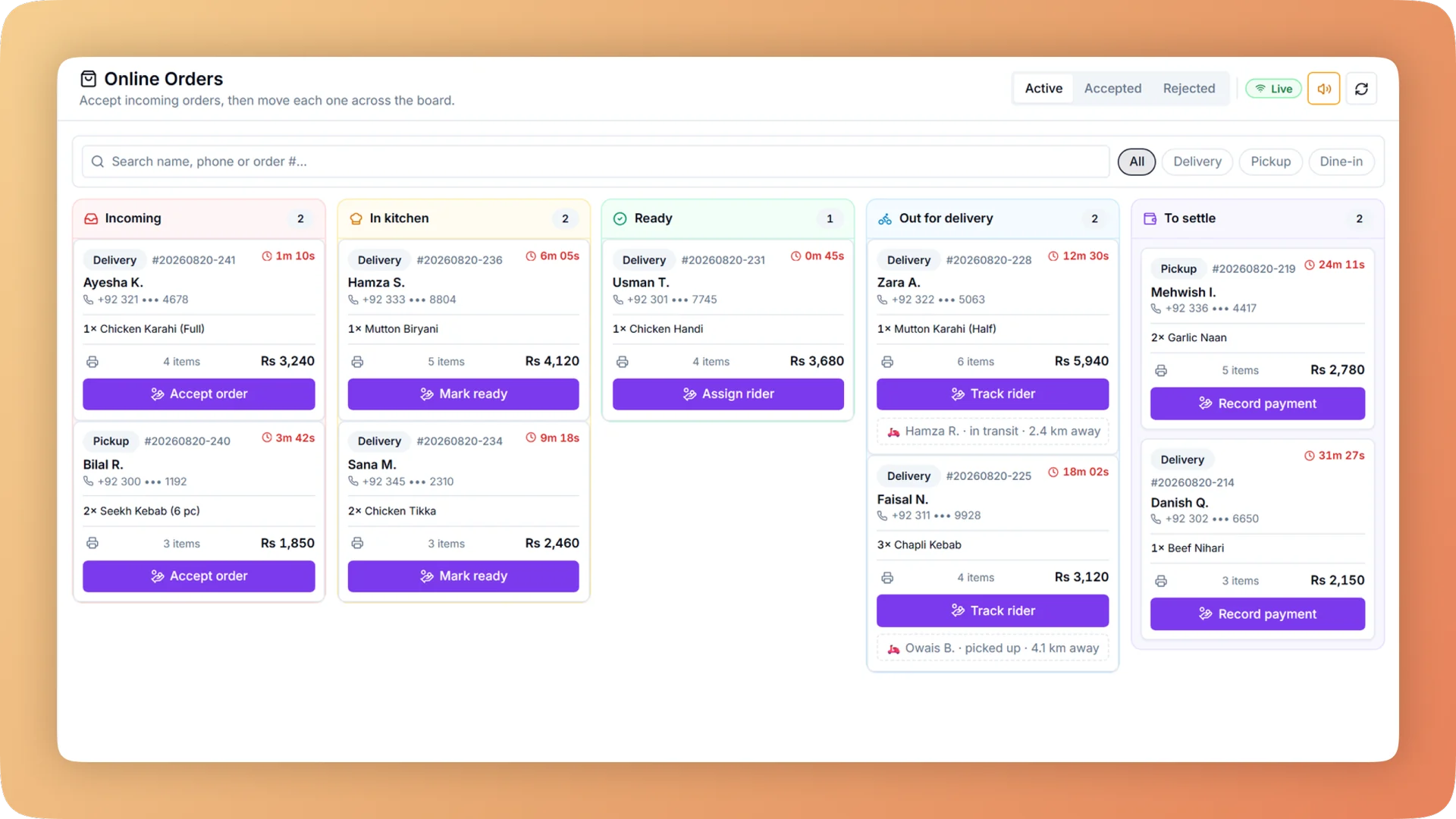
- A WhatsApp order arrives on the till with a repeating chime, next to website and table QR orders. Staff accept it and it routes to the kitchen stations like a counter sale. It is counted in reports and in the nightly close with everything else.
- The chat keeps the customer informed
- The customer hears back in the conversation they started: order confirmed, food ready, out for delivery, or rejected with a reason. The ready message is sent when the cook marks the ticket done, so it reflects the kitchen and not an estimate.
Built for how cloud kitchens actually run.
- Full WhatsApp Ordering overview
Customers order on WhatsApp by message or voice note in English, Urdu, Roman Urdu or Hindi. An AI assistant builds the order and places it in your till inbox.
- Bhookly for cloud kitchens
Cloud kitchen software with your own ordering website.
- Marketplace commission takes a large slice of every delivery order.
- The delivery app knows your customers. You do not.
- Boxes, bags and cutlery are never counted in the cost of a dish.
- A tablet per channel, and orders re-keyed by hand between them.
- Delivery-app payouts never quite match what the till says was sold.
- "Where is my order?" calls in the middle of a rush.
More of what cloud kitchens run on
Online Ordering Website for cloud kitchens
Your own commission-free ordering website in one of twelve designs, with delivery zones, live order tracking and one inbox that sends every order to the kitchen.
Kitchen Display System for cloud kitchens
Every cook sees their own tickets, and late ones turn red. Run a kitchen display, printed KOT slips, or a mix per station, from one order at the till.
Recipe Costing for cloud kitchens
Recipe costing software for restaurants: see price, cost, profit and margin on every dish, with the food cost per plate worked out line by line.
Things people usually ask us.
Still have a question? Message us and we reply the same day.
Can customers order from my restaurant on WhatsApp?
Yes. With Bhookly, customers message your restaurant on WhatsApp and an AI ordering assistant builds the order from your live menu, confirms it with the customer and places it into the orders inbox on your till. They can also fill a cart from your menu inside WhatsApp's own catalogue.
Which languages does the WhatsApp ordering assistant understand?
Bhookly's WhatsApp ordering assistant understands English, Urdu, Roman Urdu and Hindi. Customers write the way they normally do, including Urdu typed in English letters, and the assistant matches the request to the dishes on your menu.
Can customers order by voice note?
Yes. Bhookly transcribes a WhatsApp voice note and handles it like a typed order, then answers with an Urdu voice reply. Customers who prefer speaking to typing can place a full order without writing anything.
Where do WhatsApp orders arrive?
WhatsApp orders arrive in the online orders inbox on the Bhookly till, with a repeating chime, beside website and table QR orders. Staff tap Accept to send the order to the kitchen, or Reject to send the customer a reason.
Do customers need to install an app or sign up?
No. Customers order from a Bhookly restaurant inside WhatsApp, which they already have. There is no app to install and no account to create.
What happens on WhatsApp when a dish is sold out?
A dish marked sold out in Bhookly shows as out of stock on WhatsApp. The assistant builds orders from the live menu, so the WhatsApp menu follows the same availability your cashier sees on the till.
Does the customer get order updates on WhatsApp?
Yes. Bhookly sends confirmed, ready, rejected and out-for-delivery messages to the customer's chat for orders that began on WhatsApp. The ready message is triggered when the cook marks the ticket done, and a bill summary with the total follows after payment.
Can I also send promotions on WhatsApp?
Yes. Bhookly's marketing suite sends WhatsApp campaigns to customer segments, using 18 pre-approved message templates with a monthly allowance meter. Without a WhatsApp business number, click-to-send opens a prepared chat per guest for you to send yourself.
Run whatsapp ordering on Bhookly.
چلیں، شروع کریں
Book a 20-minute demo. We'll show you Bhookly running on your kind of restaurant, with no pressure and no obligation.
- No lock-in contracts
- Live in a morning
- Same-day WhatsApp support