Reports & Analytics for food trucks.
In Bhookly, Reports & Analytics for food trucks updates on every till and tablet within about a second, so the counter, the floor and the kitchen never work from different pictures.
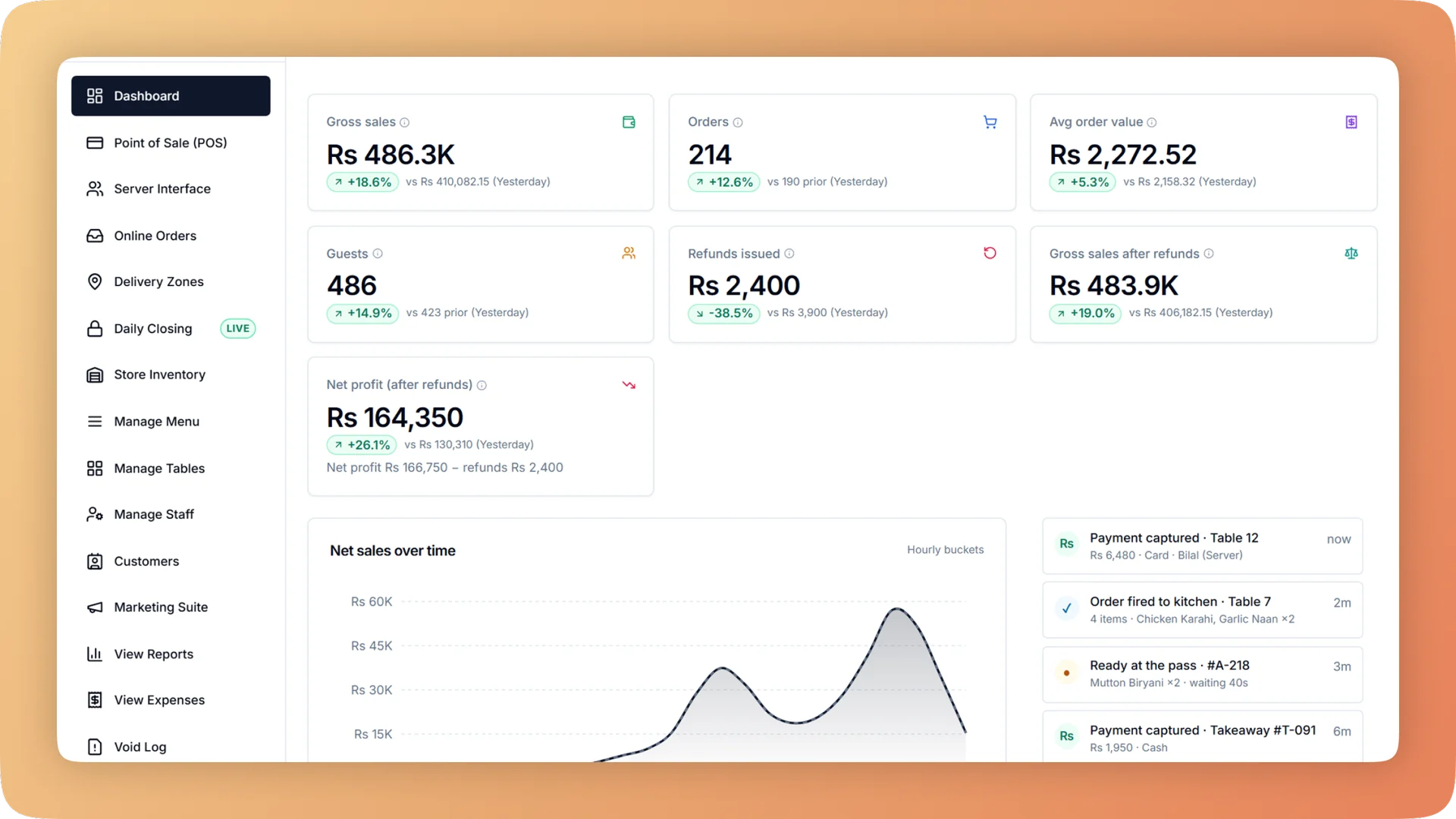
What Reports & Analytics does for your food truck.
- From a total to the receipts in one click
- The overview shows sales, tax, discounts, refunds, cost, margin and profit. Click a payment type and you are looking at exactly those bills. Open any day to find, reprint or refund a single bill.
- Which dishes make money
- Menu performance ranks items by sales and projected margin, by item, by category or by tags you set yourself, such as Summer Special. Filter by dine-in, takeaway, delivery or any custom order type.
- Rota decisions from real data
- The busy-times heatmap lays sales out by weekday and hour and names the busiest slot. Staffing and opening hours are set from what happened, not from memory.
- Monthly profit without waiting for the accountant
- The profit and loss statement runs from gross sales down to net profit by hour, day, week or month, each compared with the previous period. Owners and accountants see it. Managers do not.
- Month end in one file
- The month-end pack is one Excel workbook holding every report, with a full order audit export alongside. Every export includes a Basis sheet that defines each line, so nobody has to ask how a number was calculated.
- Every branch, side by side
- Compare locations against each other, or roll them into one consolidated set of reports.
Built for how food trucks actually run.
- Full Reports & Analytics overview
Sales, margin, tax, refunds and profit and loss for any period and every branch. Click a total to see the bills behind it, then export it all for your accountant.
- Bhookly for food trucks
A POS that moves with your truck.
- No fixed location and no reliable internet.
- No room on the truck for a counter full of hardware.
- A long line at an event, and one person taking orders and money.
- Items that sell out mid-shift and keep getting ordered.
- Customers you serve once and cannot reach again.
- Cash counted in the dark at the end of the night, wherever you parked.
More of what food trucks run on
Point of Sale for food trucks
A restaurant POS with one screen from order to payment: split a bill between 2 and 30 guests, hold orders, apply bank card deals and keep selling offline.
Menu Management for food trucks
One menu runs the till, kitchen, QR menu, ordering website and WhatsApp. Set sizes, add-ons and deals once, and mark a dish sold out everywhere in one tap.
Offline Mode for food trucks
When the internet drops, Bhookly's Windows and Android apps keep taking orders, printing kitchen tickets and taking payment, then sync when it returns.
Things people usually ask us.
Still have a question? Message us and we reply the same day.
What reports does Bhookly give a restaurant?
Bhookly gives a restaurant a sales overview with drill-down, a daily sales and orders browser, a busy-times heatmap, menu performance and margins, tables and parties, a tax report, a refund log, bank promo claims, a profit and loss statement, stock reports, kitchen flow reports, a staff performance report and campaign results. All of it exports to Excel.
Can I see which menu items are most profitable, not only which sell the most?
Yes. Bhookly's menu performance report shows sales and projected margin for every item, category or tag, and can be filtered by channel. It separates dishes that sell well from dishes that earn well.
Can I find out my restaurant's busiest hours?
Yes. Bhookly's busy-times heatmap shows sales by weekday and hour and names the busiest slot, so you can plan the rota and opening hours from real sales.
Can I compare branches?
Yes. Bhookly lets you view each branch on its own, compare locations and see consolidated reports across all of them.
Can my accountant get the reports without access to the till?
Yes. Bhookly has a read-only accountant login that opens reports, expenses and profit and nothing else. At month end the accountant can download one Excel workbook with every report, plus a full order audit export.
Does Bhookly produce a profit and loss statement?
Yes. Bhookly's profit and loss statement runs from gross sales down to net profit by hour, day, week or month, compared with the previous period. Owners and accountants can see it, and managers cannot.
Can I export restaurant reports to Excel?
Yes. Bhookly exports reports to Excel, and every export includes a Basis sheet that defines each line. The month-end pack puts every report into a single workbook.
Is there a tax report for my monthly return?
Yes. Bhookly's tax report shows tax by rate and compares what was charged with what was filed, so the figures for the return are ready. In Pakistan that covers sales filed with FBR and PRA.
Run reports & analytics on Bhookly.
چلیں، شروع کریں
Book a 20-minute demo. We'll show you Bhookly running on your kind of restaurant, with no pressure and no obligation.
- No lock-in contracts
- Live in a morning
- Same-day WhatsApp support