Offline Mode for dhabas and desi restaurants.
Bhookly staff set up Offline Mode for dhabas and desi restaurants and load the menu for them. Each restaurant gets its own web address and its own database, so its data never mixes with another's.
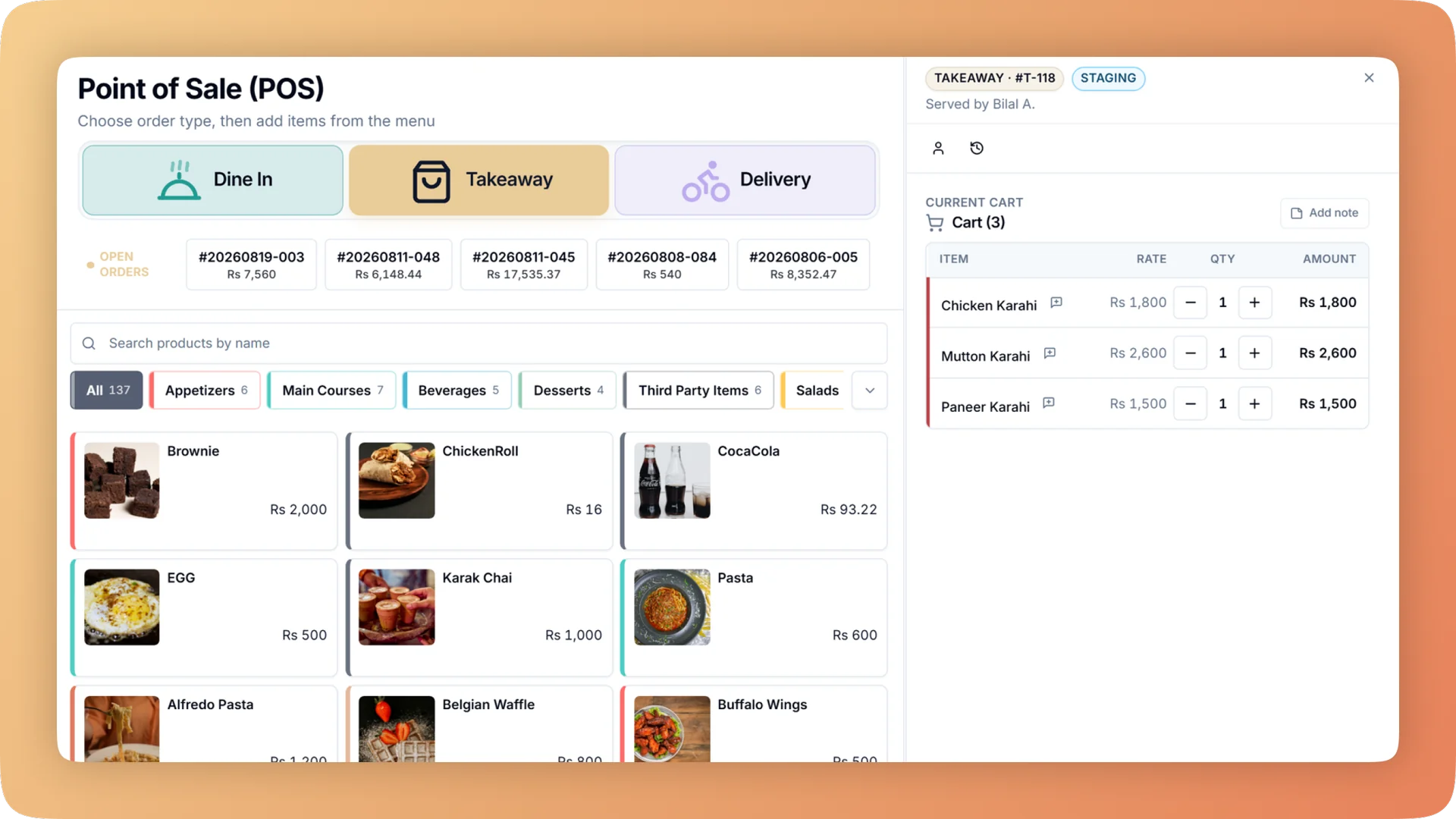
What Offline Mode does for your dhaba & desi.
- Service does not stop for an outage
- When the connection drops, the Windows desktop app and the Android app keep taking orders, sending tickets to the kitchen and taking payment. Each offline order carries a temporary code and syncs later without anyone re-keying it.
- The kitchen keeps cooking
- A till that has lost the server still prints the kitchen ticket, stamped "OFFLINE - NOT SYNCED" so everyone knows where it came from. Kitchen screens show Live or Offline and catch up by themselves when the connection returns.
- Outages do not become mystery shortages
- Payment is taken offline. If a price differs when the order syncs, the difference goes to a manager queue to be reviewed, instead of surfacing weeks later as cash nobody can explain.
- Outages do not become free food
- At day close, Bhookly checks for food that was sent to the kitchen during an internet cut and never billed. Closing is blocked until those orders are dealt with.
- Tax filing waits, the sale does not
- If the tax authority's system is unreachable, the sale completes and the filing retries afterwards. A sale is never filed twice.
- One order, however many taps
- On a weak connection staff tap twice and retry. Bhookly treats a double tap or a retry as the same order, so the kitchen never cooks the same food twice. One venue had 17 duplicate orders in 60 days before this protection existed.
Built for how dhabas and desi restaurants actually run.
- Full Offline Mode overview
When the internet drops, Bhookly's Windows and Android apps keep taking orders, printing kitchen tickets and taking payment, then sync when it returns.
- Bhookly for dhabas and desi restaurants
Simple, fast billing for dhabas, with the cash counted every night.
- High-volume cash, late into the night, and no way to know if the drawer is right.
- Internet cuts and load-shedding in the middle of dinner.
- Software with more screens than the staff have time to learn.
- Cash taken from the drawer "for the market" with nothing written down.
- Kitchen slips nobody can read through the smoke.
- Sales after midnight landing in tomorrow's report.
More of what dhabas and desi restaurants run on
Point of Sale for dhabas and desi restaurants
A restaurant POS with one screen from order to payment: split a bill between 2 and 30 guests, hold orders, apply bank card deals and keep selling offline.
Daily Closing for dhabas and desi restaurants
Open on a declared float, count cash, card and online step by step, and get a numbered Z report showing tonight's shortage and the shift it belongs to.
Kitchen Display System for dhabas and desi restaurants
Every cook sees their own tickets, and late ones turn red. Run a kitchen display, printed KOT slips, or a mix per station, from one order at the till.
Things people usually ask us.
Still have a question? Message us and we reply the same day.
Does the POS work without internet?
Yes. Bhookly keeps taking orders, printing kitchen tickets and taking payment during an internet cut in its Windows desktop app and its Android app. Orders taken offline carry a temporary code and sync automatically when the connection returns.
What happens to offline orders when the internet comes back?
Bhookly uploads offline orders by itself on reconnect. Any order that cannot sync cleanly, including one where the price differs, goes to a manager queue to be reviewed, so nothing is silently dropped or changed.
Will the kitchen still get tickets if the internet is down?
Yes. A Bhookly till that has lost the server still prints the kitchen ticket, stamped "OFFLINE - NOT SYNCED". Kitchen display screens show Live or Offline and catch up automatically once the connection is back.
Can I take payment when the POS is offline?
Yes. Bhookly takes payment offline in the Windows and Android apps and prints the receipt. If the total differs when the order syncs, the difference is sent to a manager queue instead of becoming an unexplained cash difference.
Which devices does Bhookly's offline mode run on?
Bhookly sells through an internet cut in the Windows desktop app at the counter and the Android app on waiter tablets. While connected, Bhookly also runs in any browser on a phone, tablet or desktop.
Can an outage create duplicate orders?
No. In Bhookly a double tap or a retry can only ever create one order, and a double click cannot print two kitchen tickets. One venue recorded 17 duplicate orders in 60 days before this protection was built.
What happens to FBR or PRA filing if the connection drops?
The sale still completes. Bhookly queues the filing and retries it until the tax authority accepts it, and a sale is never filed twice.
How do I test a vendor's offline claim before buying?
Ask the vendor to pull the internet cable in the middle of a sale. In a Bhookly demo you can ring up an order, print the kitchen ticket and take payment with the connection off, then reconnect and watch the order sync with the correct total.
Run offline mode on Bhookly.
چلیں، شروع کریں
Book a 20-minute demo. We'll show you Bhookly running on your kind of restaurant, with no pressure and no obligation.
- No lock-in contracts
- Live in a morning
- Same-day WhatsApp support